Creating an OAuth Client
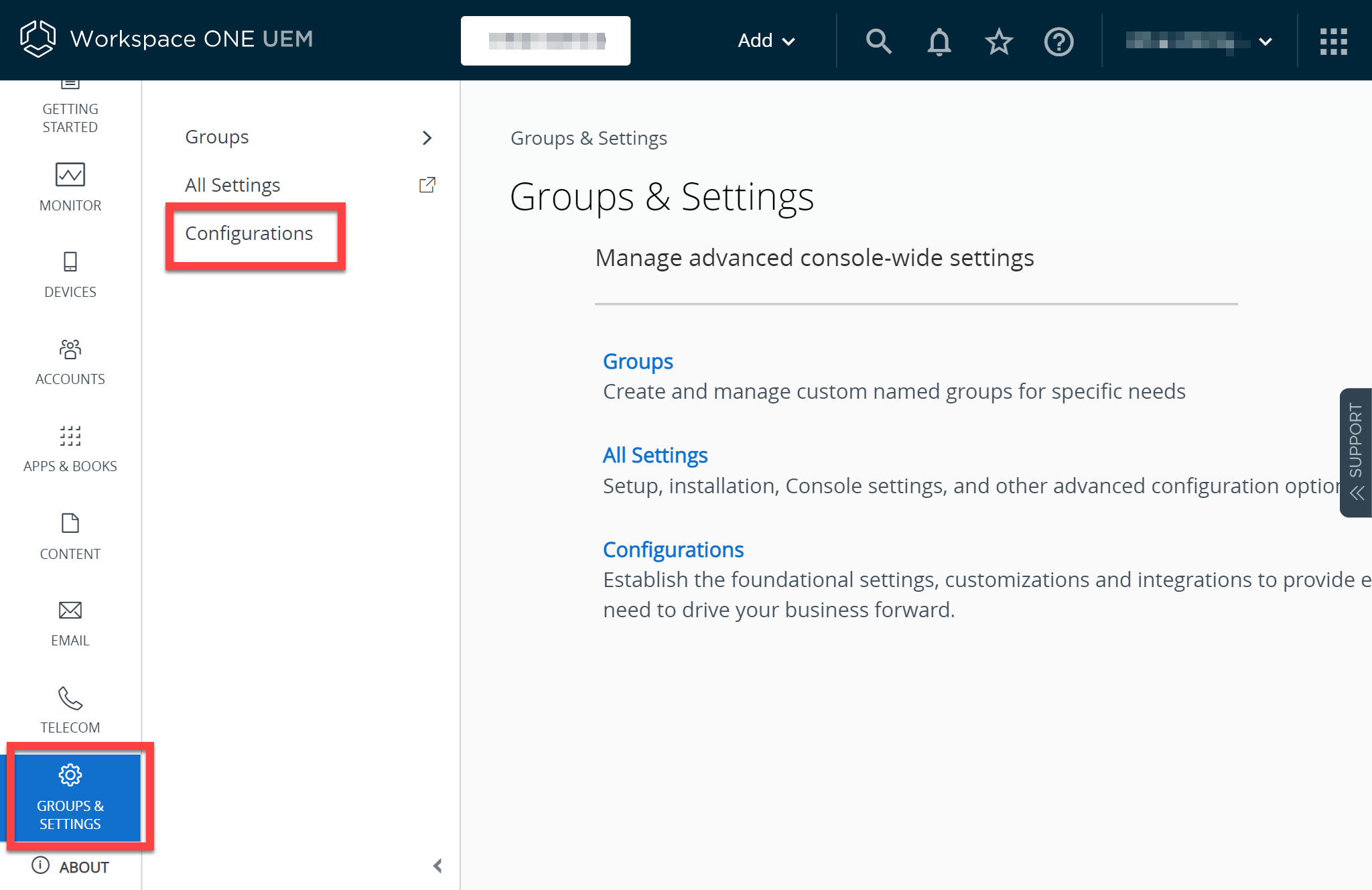
Log in as an administrator and go to Groups & Settings > Configurations:
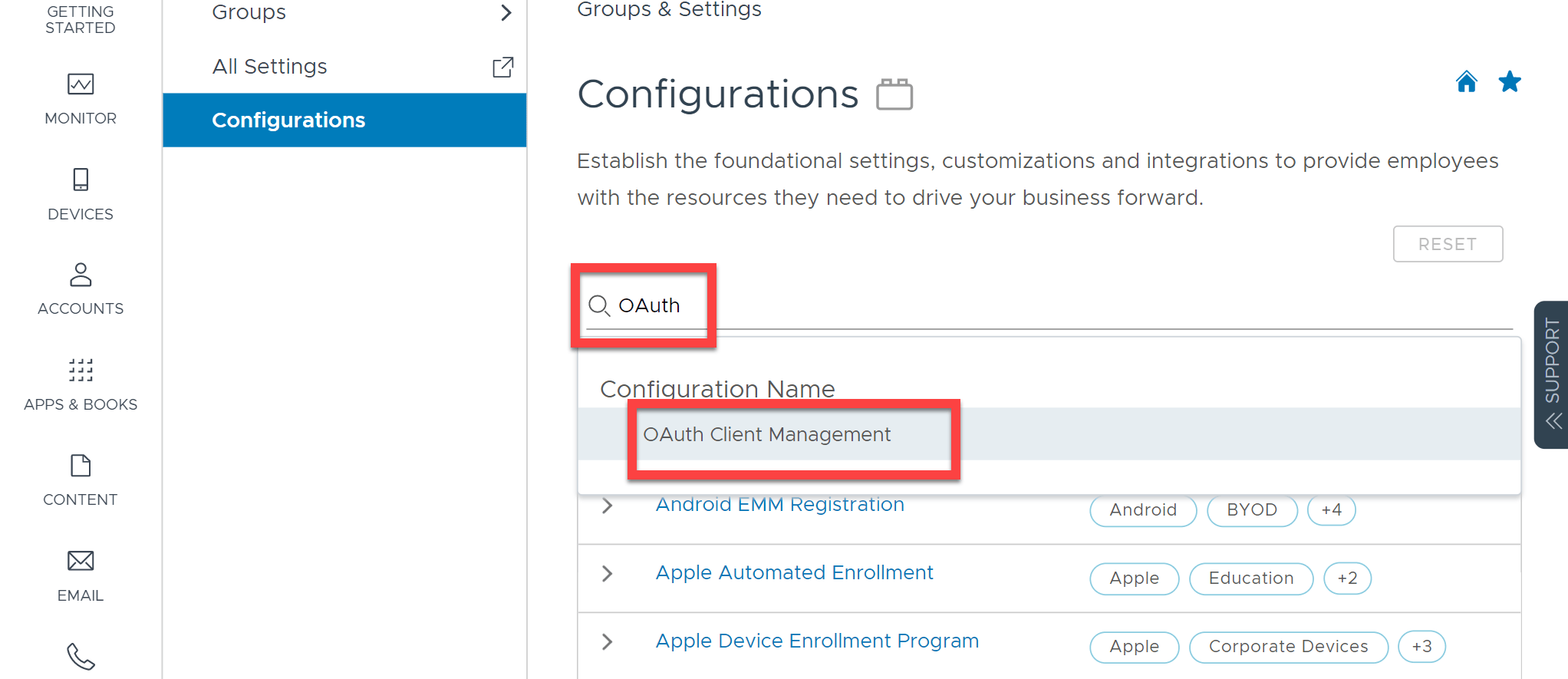
Search for OAuth and click OAuth Client Management:
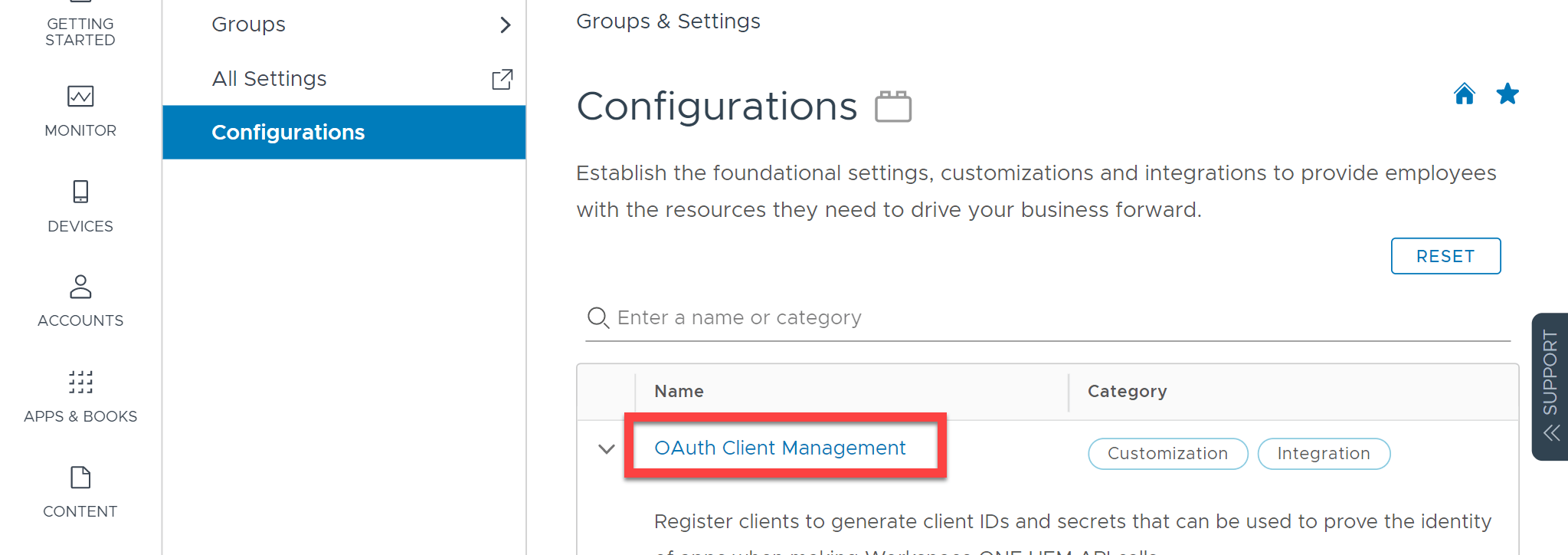
Click again on OAuth Client Management:
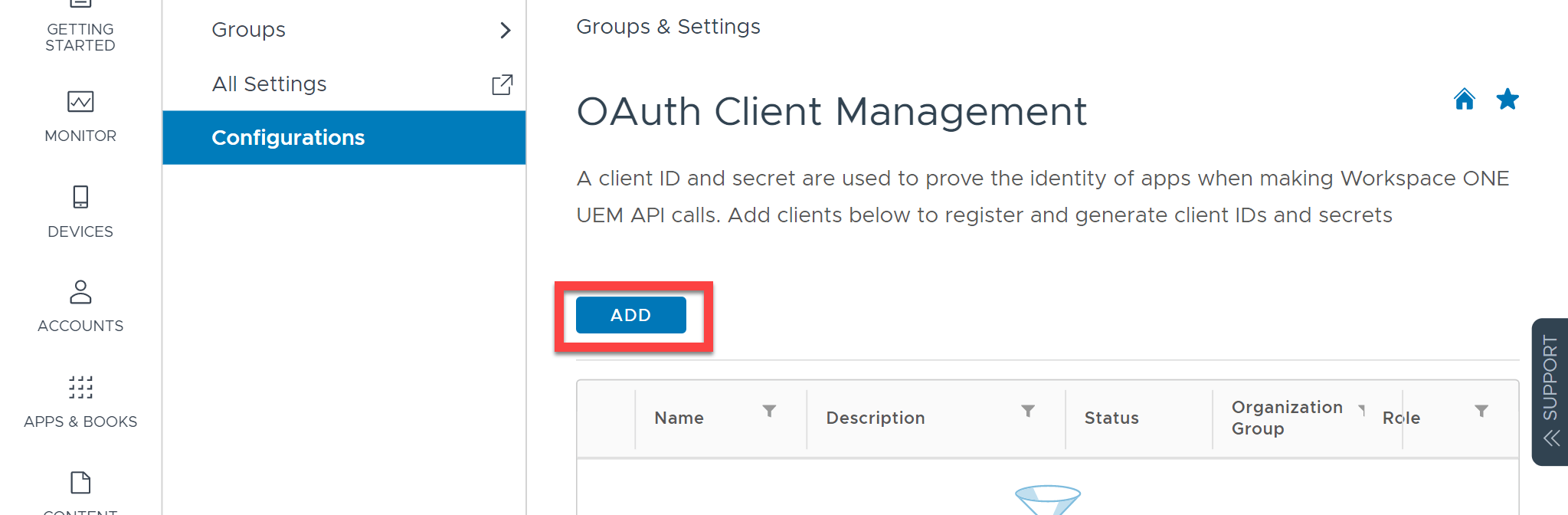
Click Add:
Enter relevant details. The name and description are just for your reference. Make sure you select the correct Organization Group and make sure that the Role is set to Console Administrator.
Important
| Category | API Name | Access Level | Reason |
|---|---|---|---|
| REST Admins | REST API System Admin | Read Only | Required to read users |
| REST Admins | REST API System Users | Read Only | Required to read users |
| REST Devices | REST API Devices Read | Read Only | Required to read devices |
| REST Devices | REST API MDM Profiles | Edit | Required to lock devices |
| REST Devices | REST API MDM Devices | Edit | Required to lock devices |
Click Save and then take a copy of the Client ID and Client Secret as you will need to enter these into 1Password SaaS Manager.
Click Close to close the window once you have taken copies of these values.
Connecting SaaS Manager to Workspace ONE UEM
When you connect SaaS Manager you will need to enter the OAuth Client ID and Secret created in the previous section.
Additionally you will need to select the Authentication Server. This will depend on where your Workspace ONE UEM instance is hosted and is described in the VMWare documentation.
| Server | Data Center Location |
|---|---|
| https://uat.uemauth.vmwservices.com | All UAT environments |
| https://na.uemauth.vmwservices.com | US and Canada |
| https://emea.uemauth.vmwservices.com | UK and Germany |
| https://apac.uemauth.vmwservices.com | India, Japan, Singapore, Australia, Hong Kong |
Finally, you will need to enter the URL of your instance. This can be taken from the browser address bar, but replacing “cn” with “as”.
For the example below, the correct URL will be https://as1498.awmdm.com
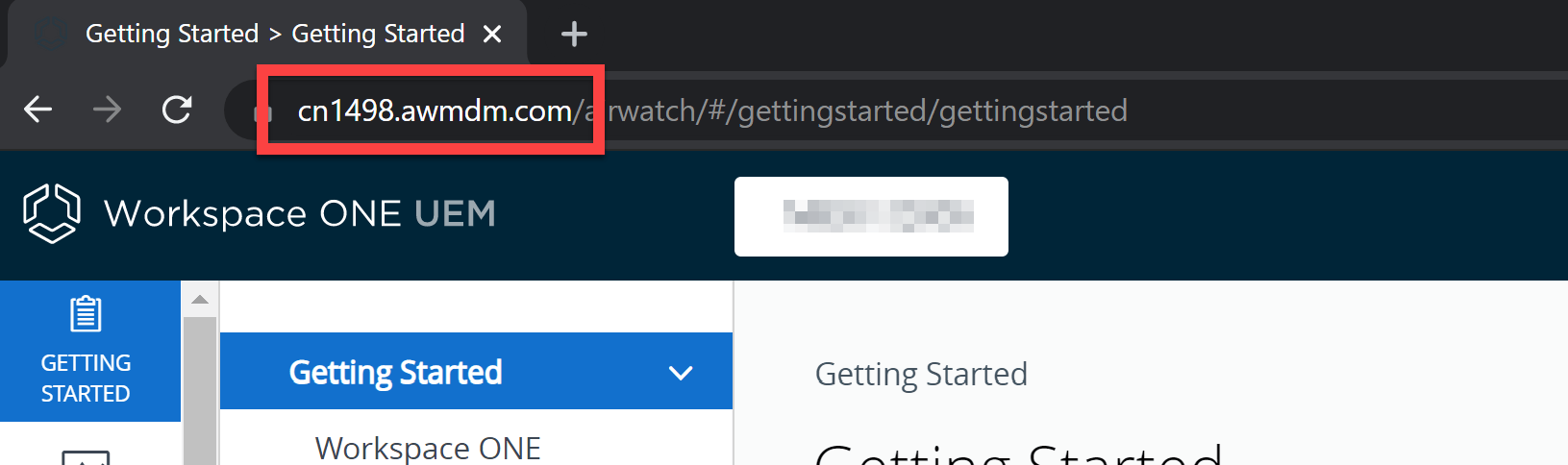
The instance URL is also shown in Groups & Settings > All Settings > System > Advanced > API > REST API > REST API URL.
Was this article helpful?
Glad to hear it! If you have anything you'd like to add, feel free to contact us.
Sorry to hear that. Please contact us if you'd like to provide more details.