When you try to connect Totango to 1Password SaaS Manager you will be asked for an application URL, service ID and API key. This article shows you how to find the service ID and API key.
Connecting to Totango from SaaS Manager
For the Application URL, input the URL you use when using Totango, for example https://app.totango.com/t10/yourorganization/#/login.
To find your Service ID, click your user menu in the top right of Totango, and copy the service ID in brackets towards the bottom of the menu, for example SP-25001-01.
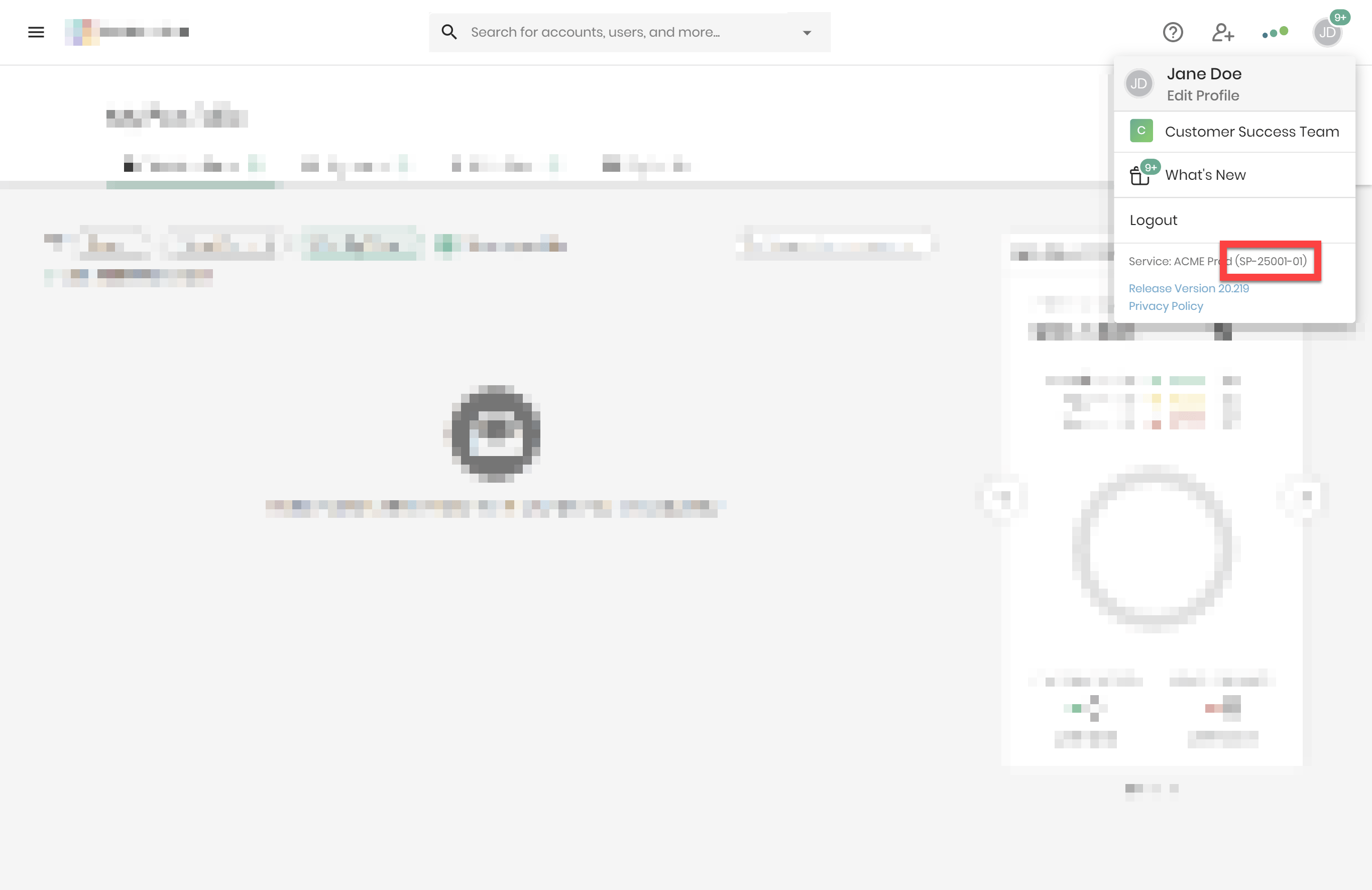
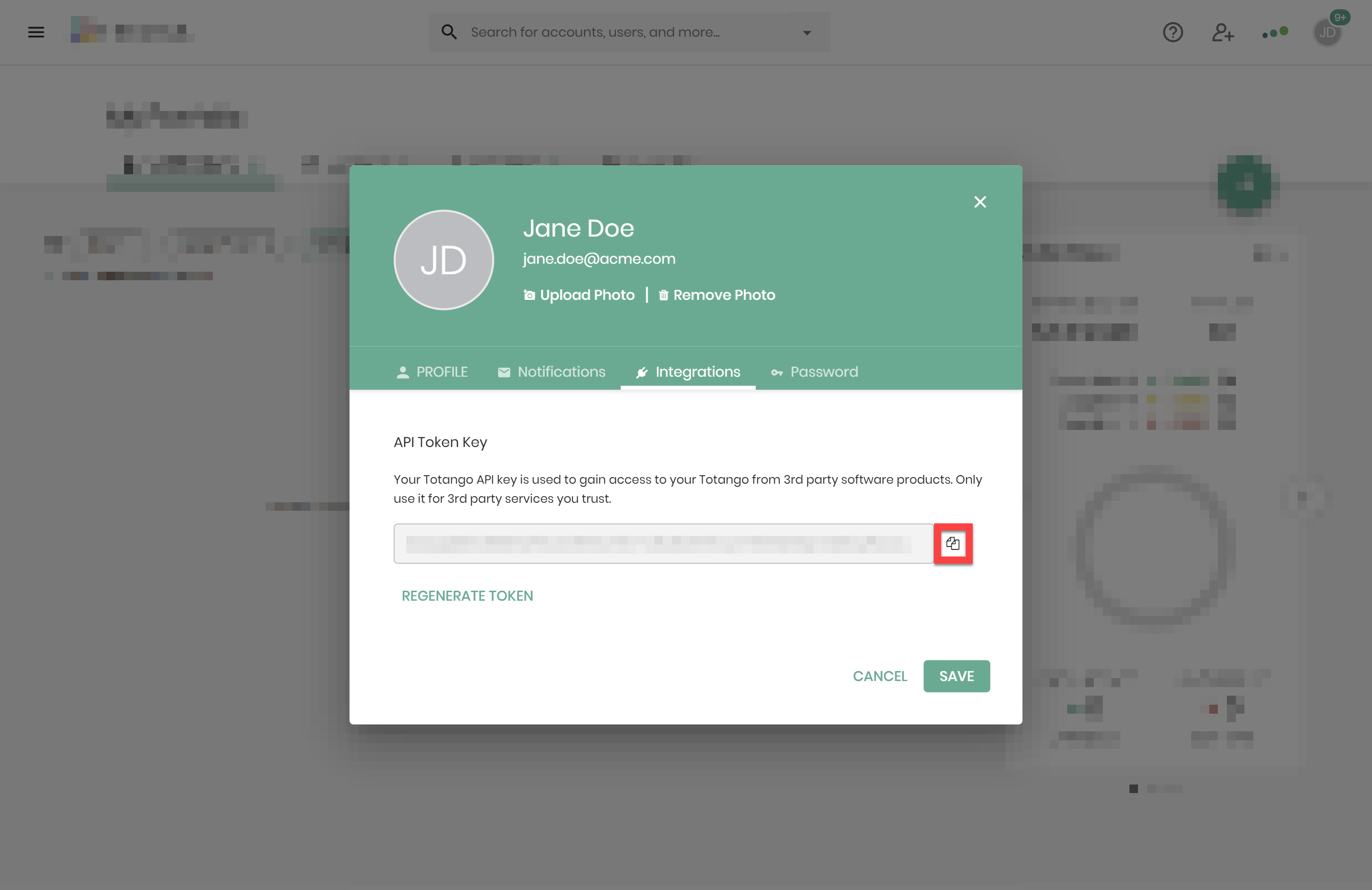
To find your API key, click your user menu in the top right of Totango, followed by Edit Profile > Integrations.
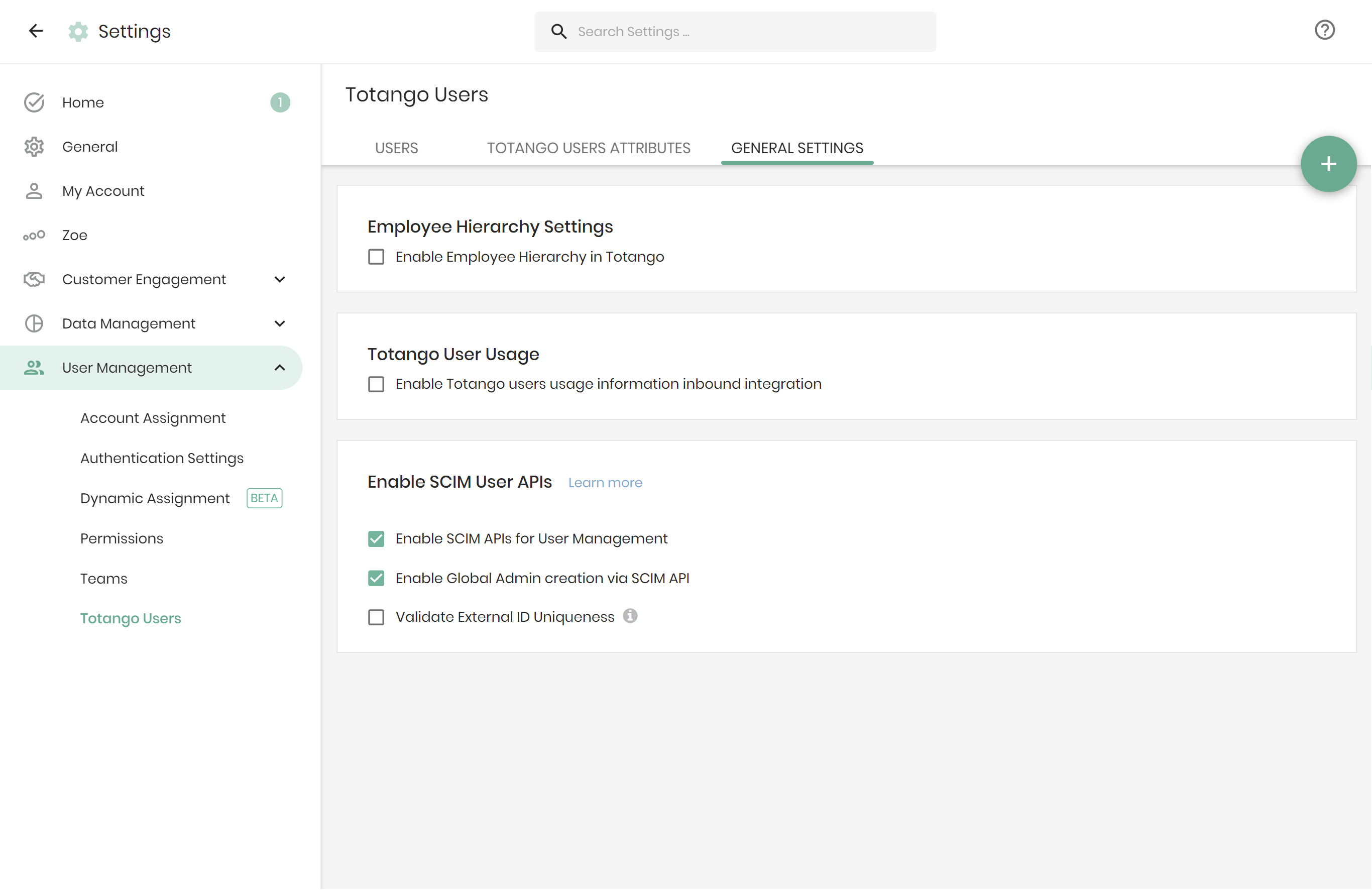
Enabling SCIM APIs for user management
If you haven’t already enabled SCIM user APIs, navigate to Settings > User Management > Totango Users > General Settings > Enable SCIM User APIs and check Enable SCIM APIs for User Management.
Was this article helpful?
Glad to hear it! If you have anything you'd like to add, feel free to contact us.
Sorry to hear that. Please contact us if you'd like to provide more details.