SCIM API
All paid plans for Stack Overflow for Teams include SCIM API access. This means that 1Password SaaS Manager can access details about users.
The SCIM API also supports reading and managing groups, as well as activating and deactivating accounts. Optionally you can enable setting user roles (making users administrators, moderators or regular users).
Important
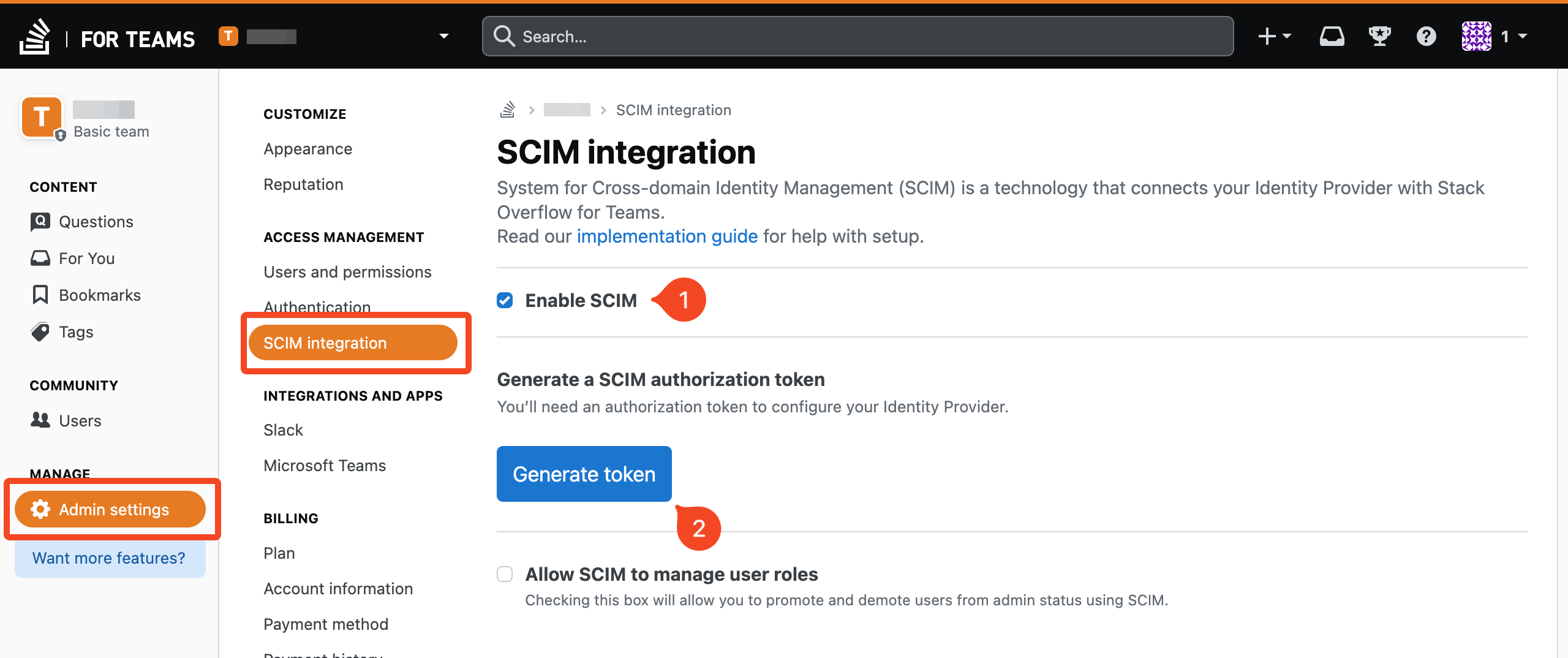
To create a token, go to Admin settings > SCIM integration and click Generate token:
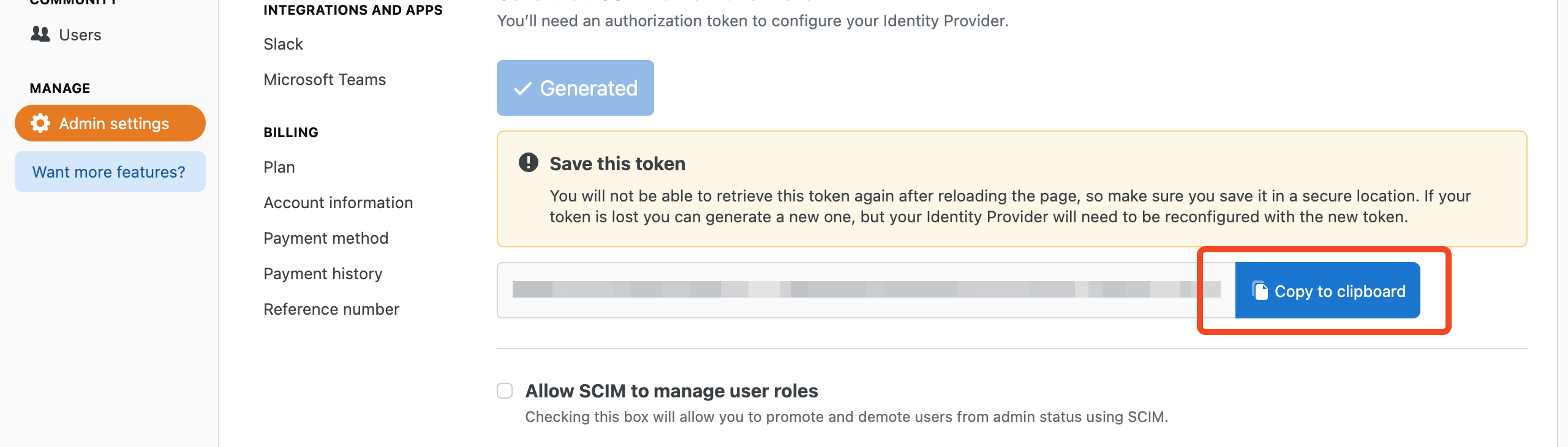
You can then copy the token to the clipboard:
Personal access token (for usage data)
Stack Overflow also has another API which returns usage data (last activity, reputation and badge counts). This requires a personal access token (PAT) to access it.
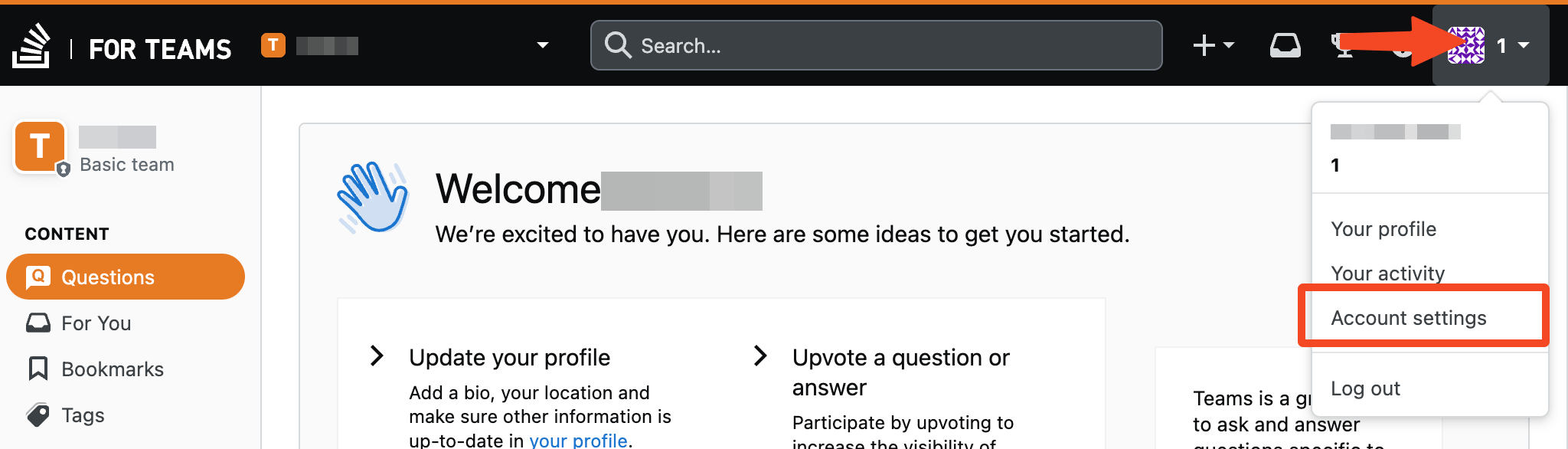
Go to your avatar at the top-right and choose Account settings and then Personal access tokens:
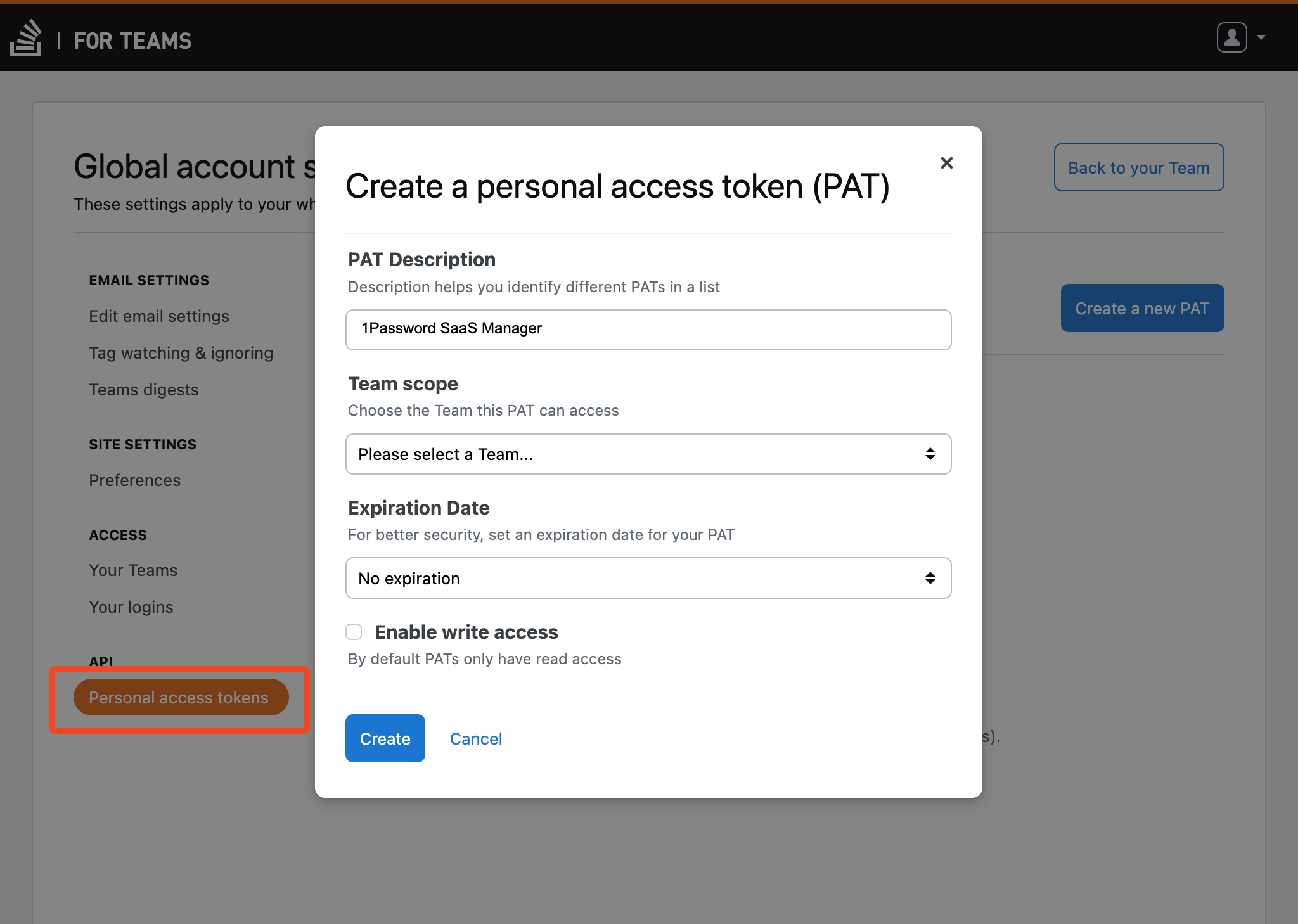
Enter a description (for example SaaS Manager) and the team you wish to read from. We recommend not setting an expiration data.
You do not need to enable write access.
Click Create.
Was this article helpful?
Glad to hear it! If you have anything you'd like to add, feel free to contact us.
Sorry to hear that. Please contact us if you'd like to provide more details.