When you try to connect signNow to 1Password SaaS Manager you will be asked for a Client ID and Client Secret. This article shows you how to find and create an API Application in signNow that will provide these credentials.
Note
Important
You must be an Organization Admin in signNow to connect with SaaS Manager. Where possible we recommend using a service account that is dedicated to the Organization you wish to integrate to create the API Application in signNow.
As an Organization Admin, you may have received an invitation from someone in your IT team asking you to connect signNow to SaaS Manager.
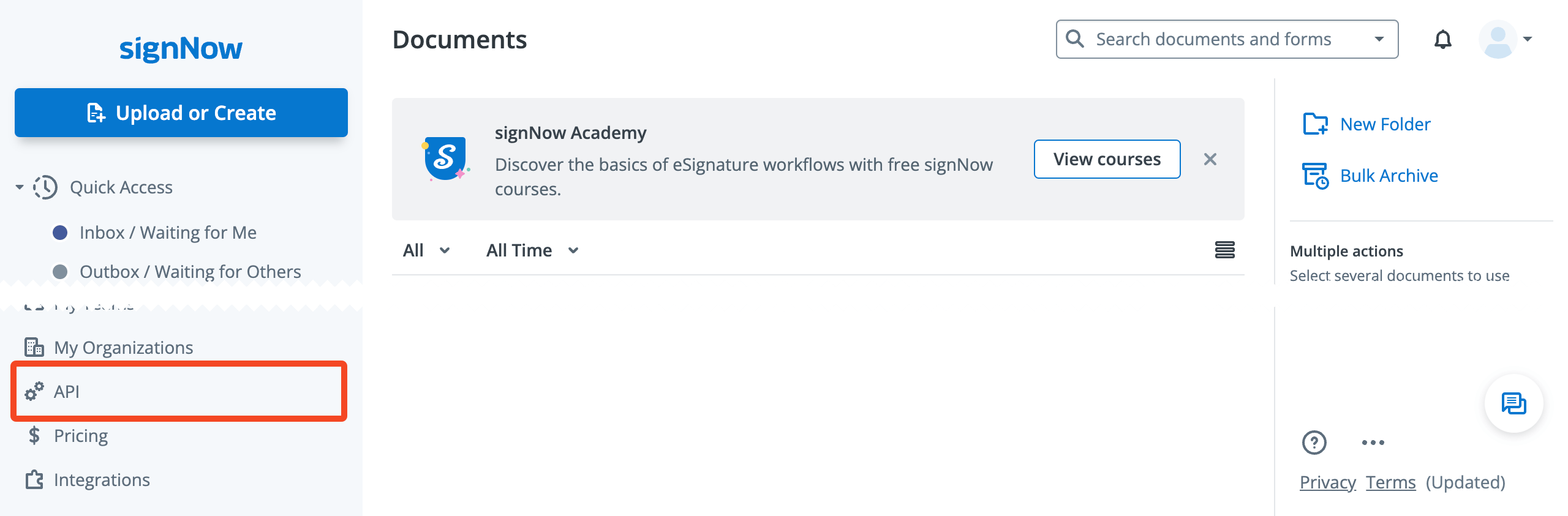
Login to signNow and choose API:
Click Add App:

Enter a name, for example SaaS Manager and click Add.
The application will be created. Click the … icon and choose Edit from the menu.
You will need to copy and paste the Client ID and Client Secret into SaaS Manager.
Was this article helpful?
Glad to hear it! If you have anything you'd like to add, feel free to contact us.
Sorry to hear that. Please contact us if you'd like to provide more details.