SCIM is an API standard for listing and managing users. Unfortunately SCIM APIs are implemented in different ways by different products which can cause confusion.
Where 1Password SaaS Manager uses an application’s SCIM API, SaaS Manager first requests a list of users.
Some SCIM integrations (for example Figma) however only return users that were created using the SCIM API.
This means that if you were manually managing users and then connect SaaS Manager, you may find that no users (or fewer than expected) are returned.
One approach to solve this can be to create new users with exactly the same email. Some applications then ’link’ the newly created SCIM user with the manually created user, and SaaS Manager can then manage these users going forwards.
This article describes approaches for doing this.
Creating from the application users tab
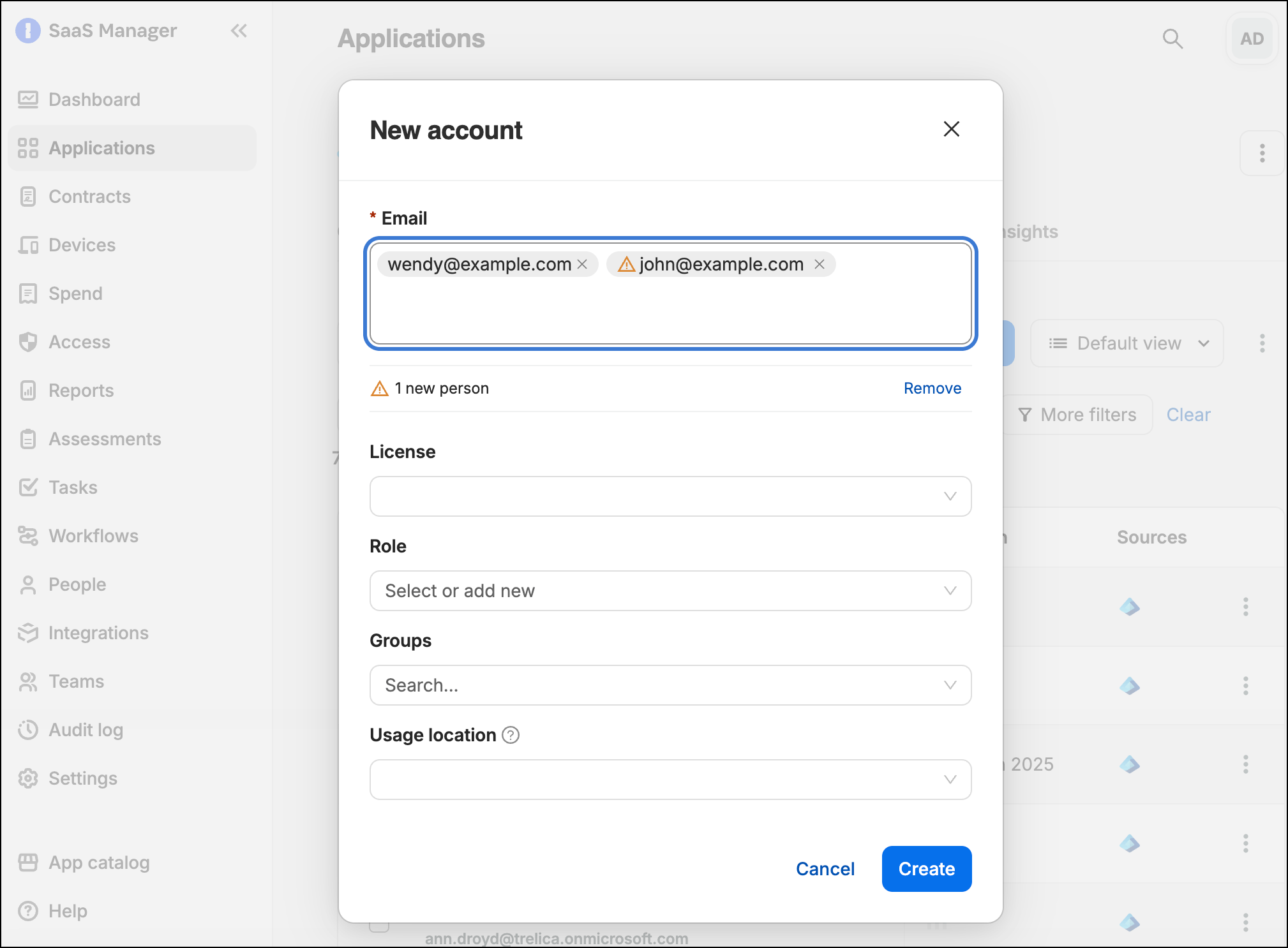
For a moderate number of users you can paste in a list of email addresses into SaaS Manager.
Using a workflow
Where your IDP or another source is already showing users linked to the application in SaaS Manager, or where you can manually upload a list of users you could configure a workflow in SaaS Manager:
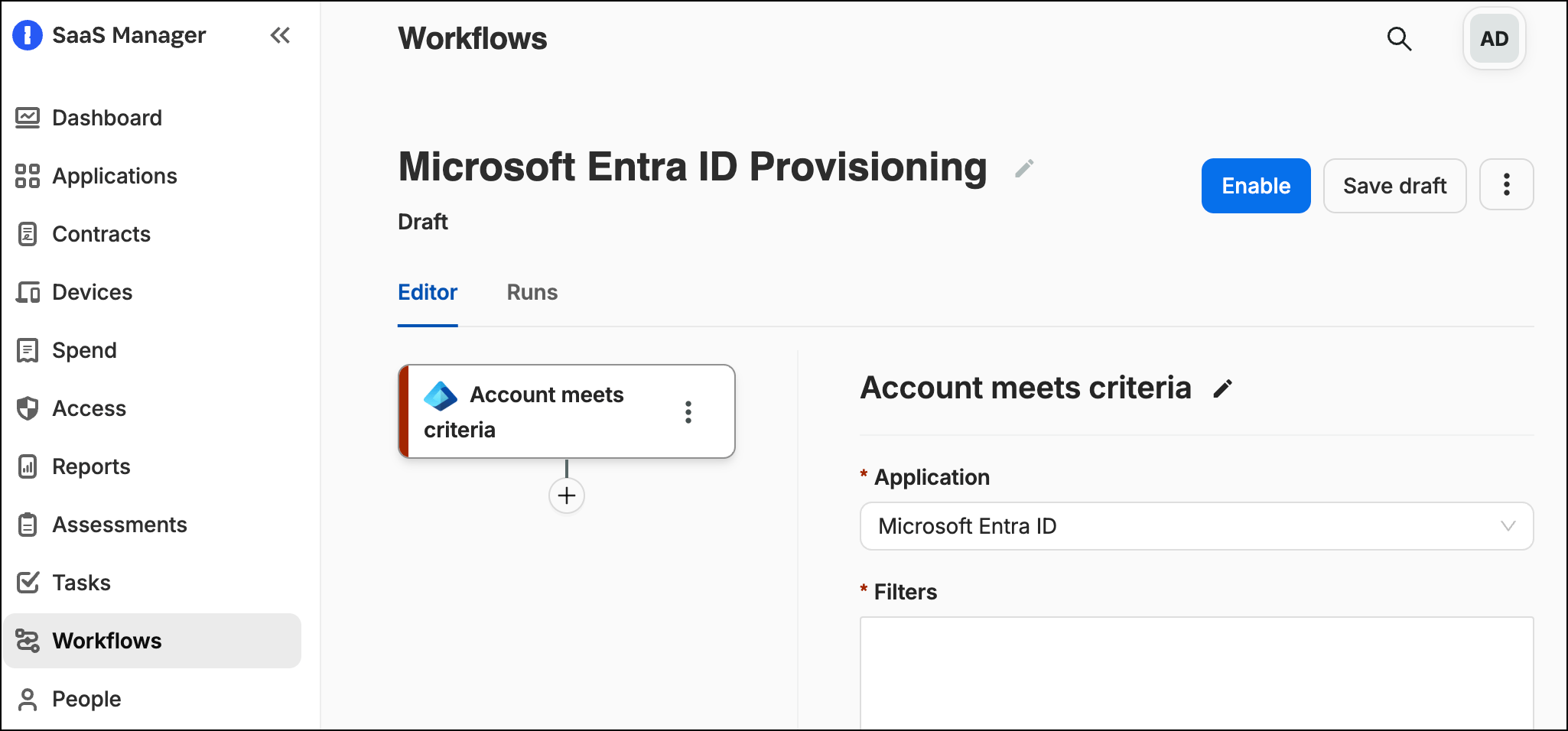
Create the workflow using the User meets criteria trigger.
Select the app (for example Microsoft Entra ID) from the list
Select the Filters section.
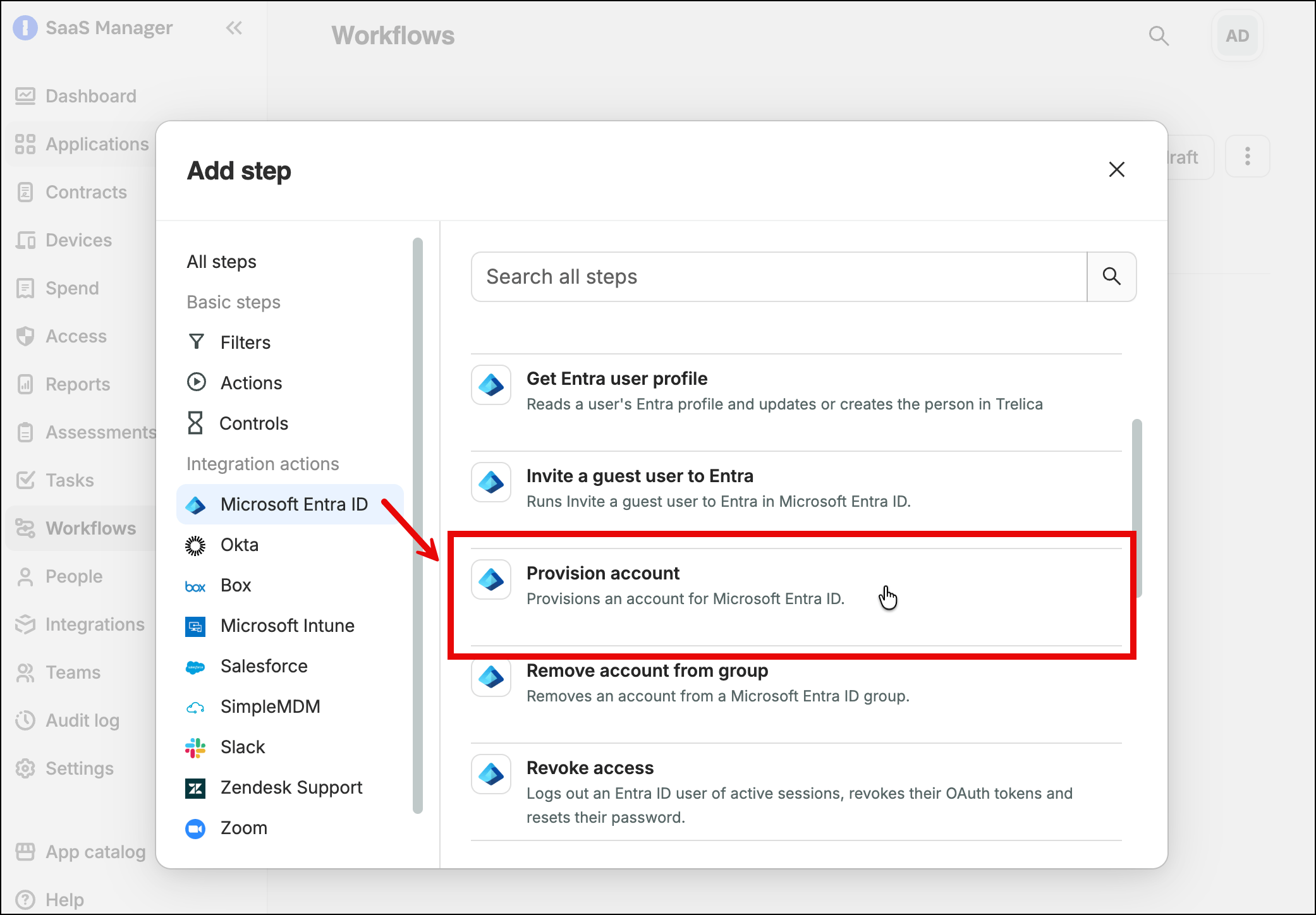
Add a Provision account step.
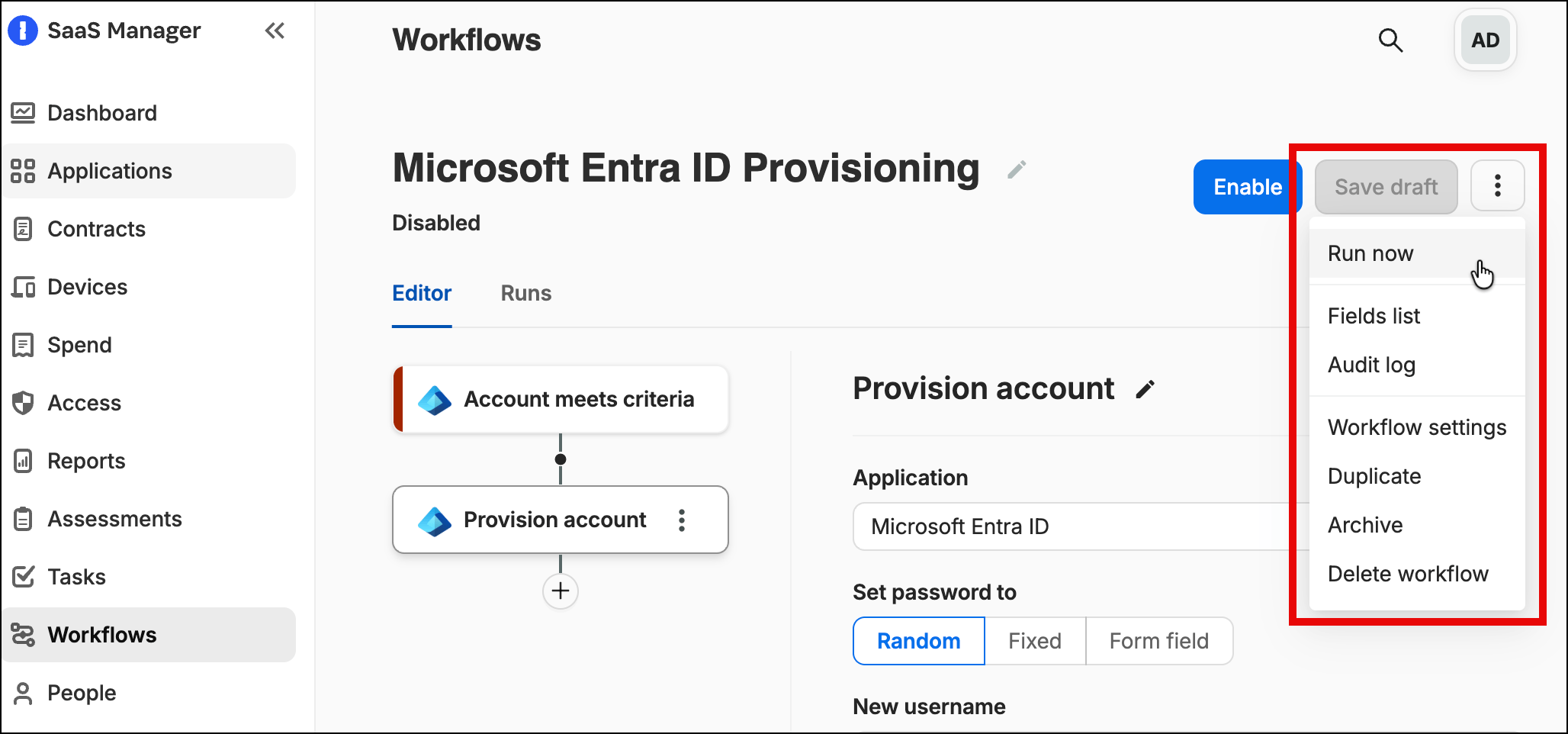
Select Save Draft for the workflow.
Select Run now.
Was this article helpful?
Glad to hear it! If you have anything you'd like to add, feel free to contact us.
Sorry to hear that. Please contact us if you'd like to provide more details.