To connect the Playvox integration you will need to provide your application URL and an API key.
Your application URL will typically look something like https://{subdomain}.playvox.com.
To create a Playvox API key:
Login to your Playvox account with a user with admin permissions
Log in to the Playvox admin console and go to the Settings cog > API Keys.
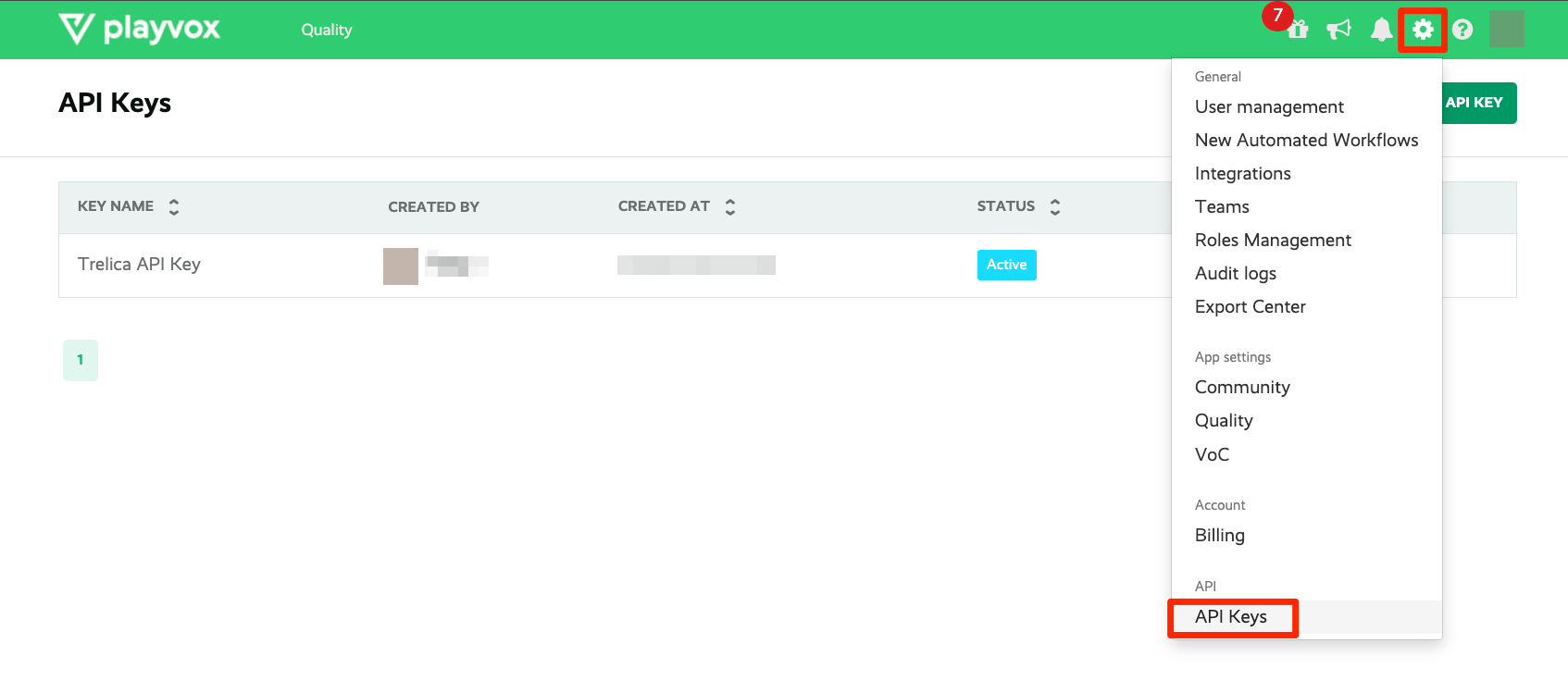
Click the Create API Key button.
Enter a name for the API key, and then select Save. Then select Close.
On the API key that you created, select the Details icon.
Copy the User Id and API Key values and paste them into the fields on the SaaS Manager integration connection dialogue for Playvox. (You do not need the Base64 Key).
Was this article helpful?
Glad to hear it! If you have anything you'd like to add, feel free to contact us.
Sorry to hear that. Please contact us if you'd like to provide more details.