When you try to connect Pipefy to 1Password SaaS Manager you will be asked for the Pipefy Access Token and Organization ID. This article shows you how to find this information.
Creating an Access Token
Note
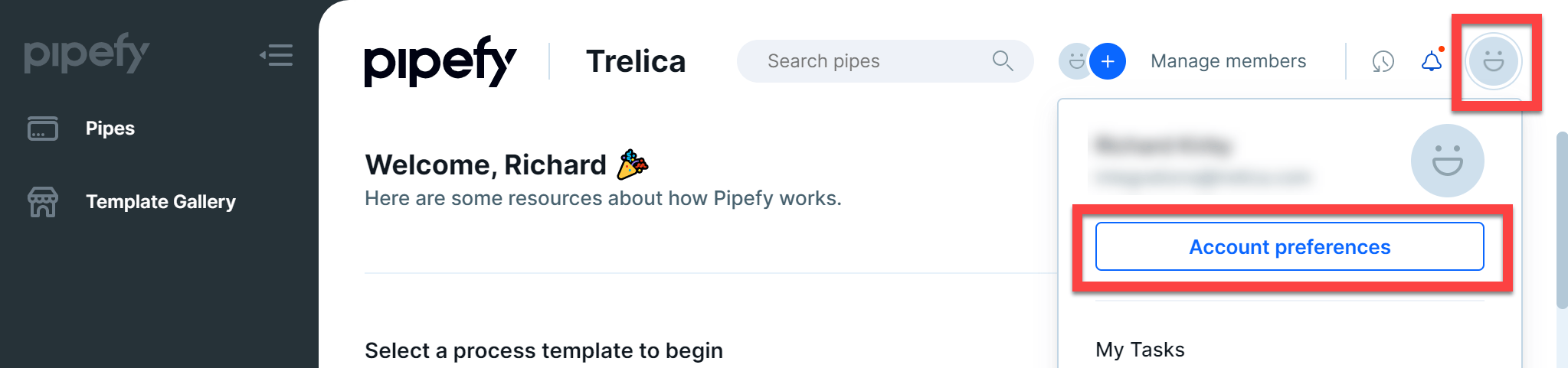
Log in to Pipefy and click the profile menu icon at the top-right and then choose Account preferences.
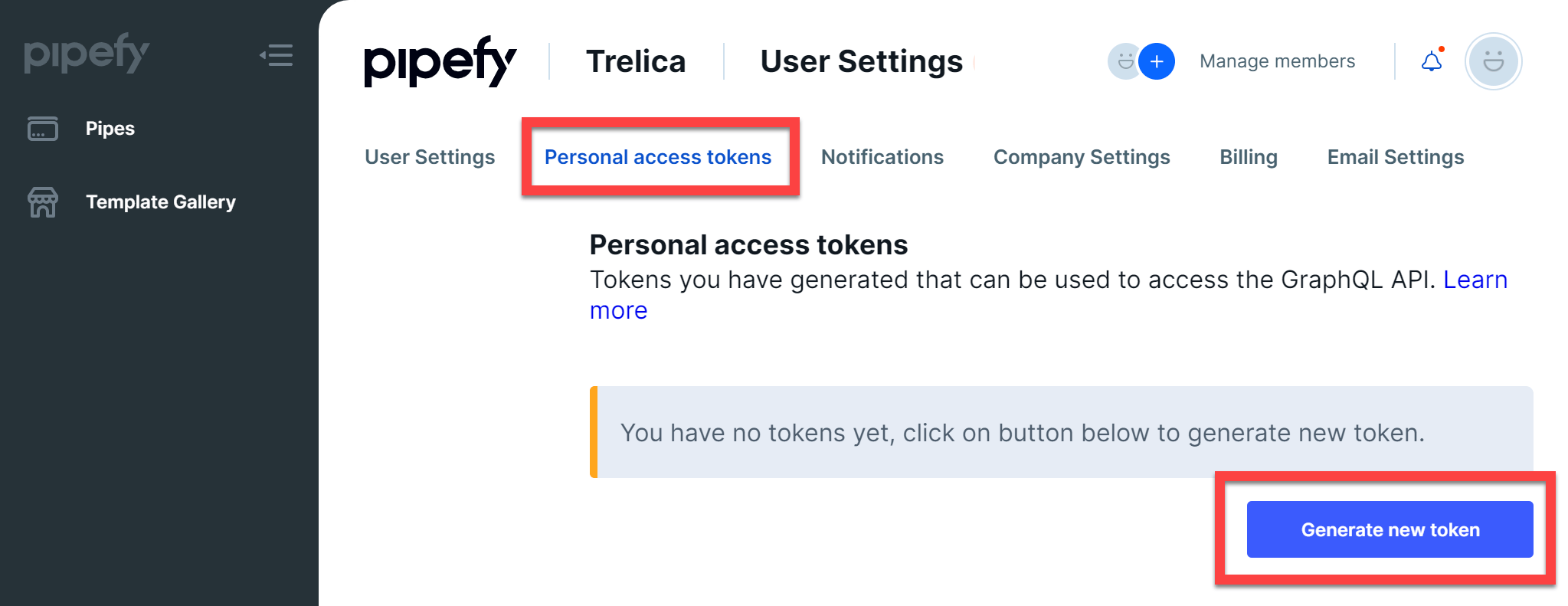
Next click the Personal access tokens tab and click Generate new token.
Enter a description for the token (for example “1Password SaaS Manager”) and click Save:
Now copy your personal access token to the clipboard (with Ctrl + C ) and paste it into SaaS Manager.
Finding your Organization ID
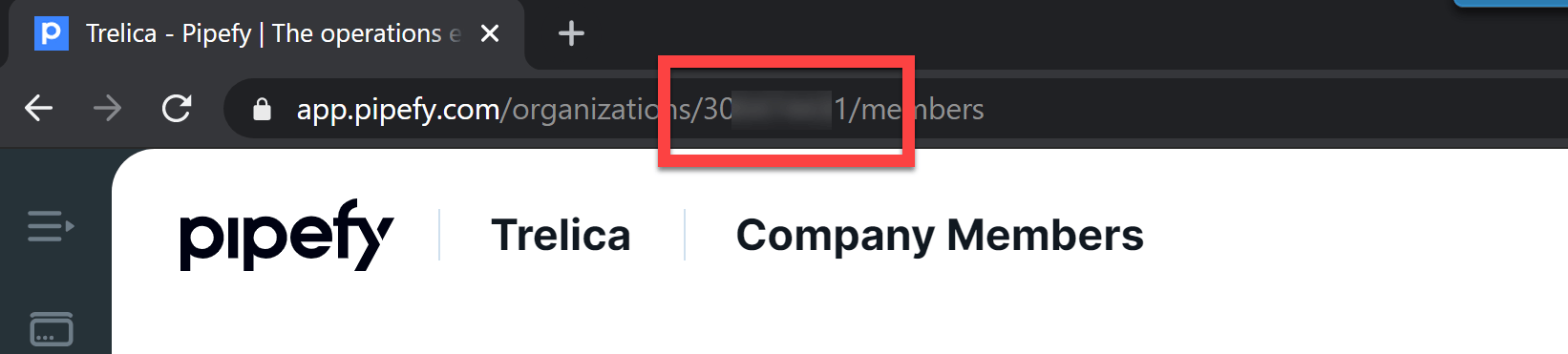
The Organization ID is shown in your web browser address bar. It is the numeric value after /organizations
Was this article helpful?
Glad to hear it! If you have anything you'd like to add, feel free to contact us.
Sorry to hear that. Please contact us if you'd like to provide more details.