When you connect with Artifactory from 1Password SaaS Manager you have to enter an Admin Access Token. This page shows you how you can find this in JFrog.
Log in to the JFrog console.
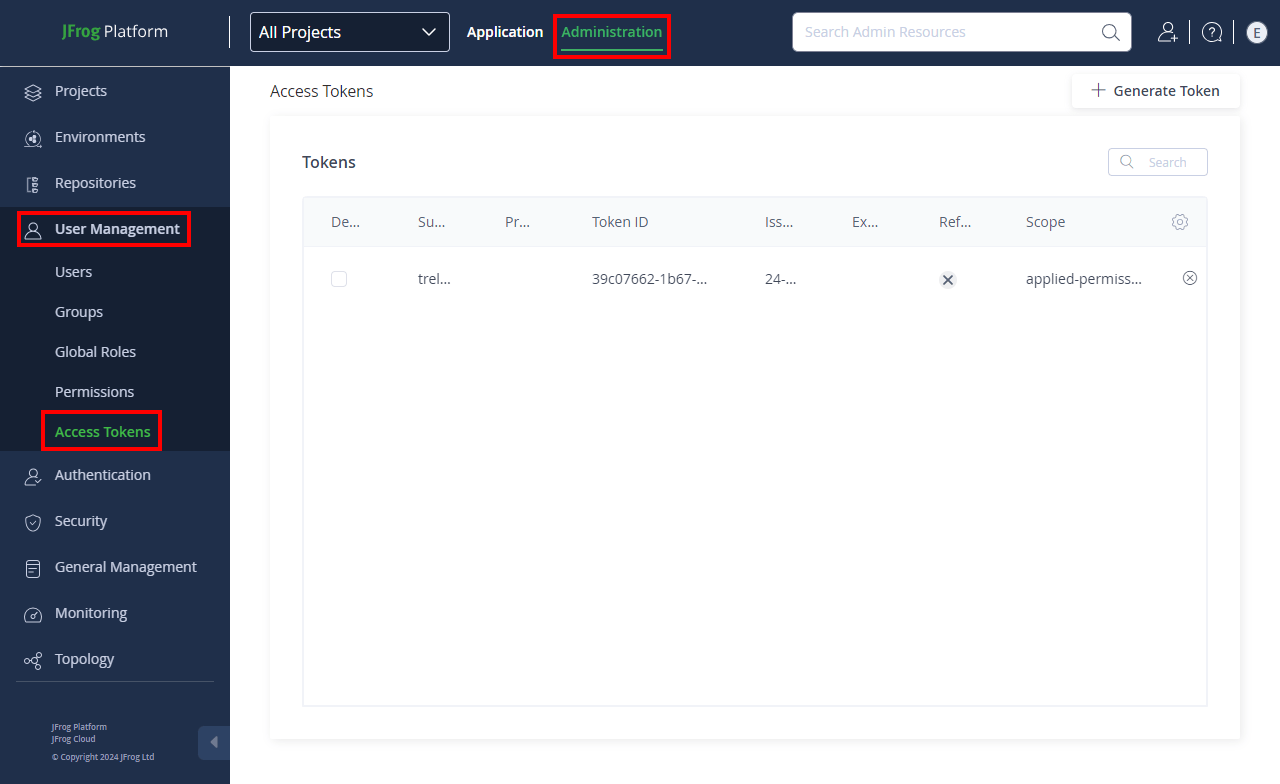
Click the Administration tab.
Choose User Management > Access Tokens.
Click Generate Token.
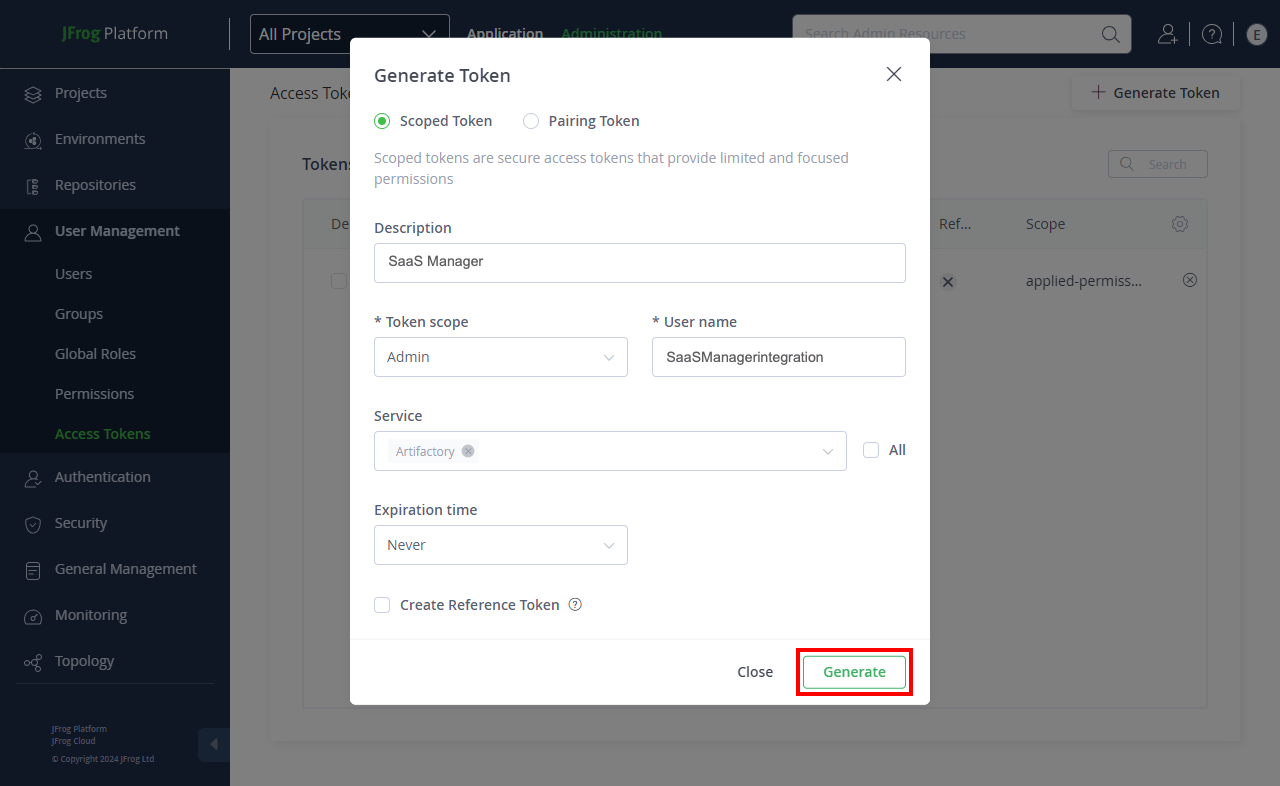
In the modal:
- Select Scoped Token.
- We recommend providing a simple, but meaningful description for example
SaaS Manager. - Select
Adminas the Token scope. - Assign a username for the token for example
SaaSManagerIntegration. - Uncheck All or the Service, and pick
Artifactoryfrom the drop down list. - Set Expiration time to
Never(you can choose a shorter, custom duration should you wish too, but we suggest at least 6 months). - Click Generate:
Copy and paste the token into SaaS Manager.
Was this article helpful?
Glad to hear it! If you have anything you'd like to add, feel free to contact us.
Sorry to hear that. Please contact us if you'd like to provide more details.