Go to Administration> Users and access > Service accounts and click Add service account
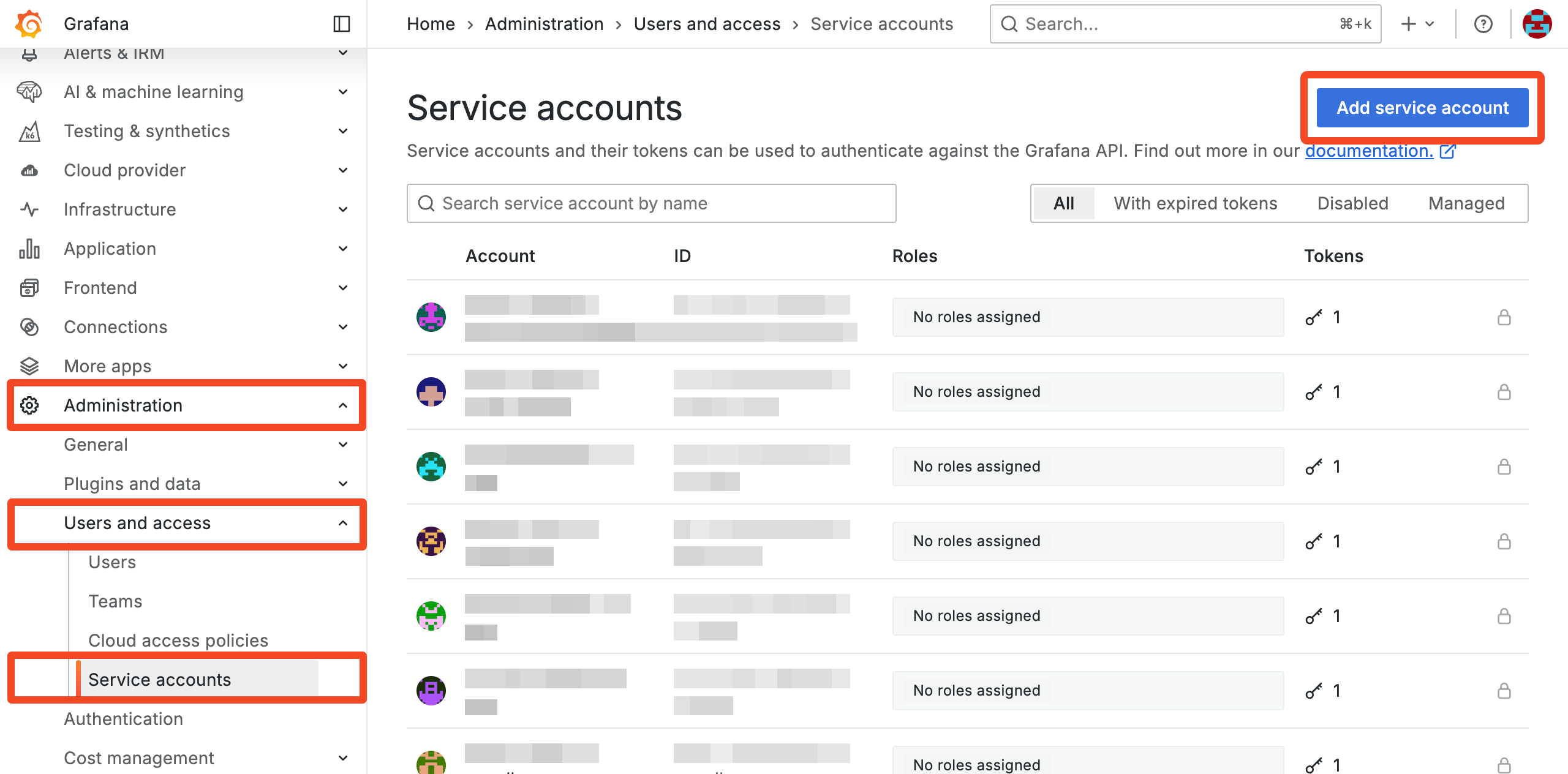
Enter a name, for example 1Password SaaS Manager and choose these roles:
- User administration:Reader (organizational)
- Organizations:Reader
Click Create.
Click Add service account token and enter a token name, optional expiration, and click Generate token:
Click Copy to clipboard and close:
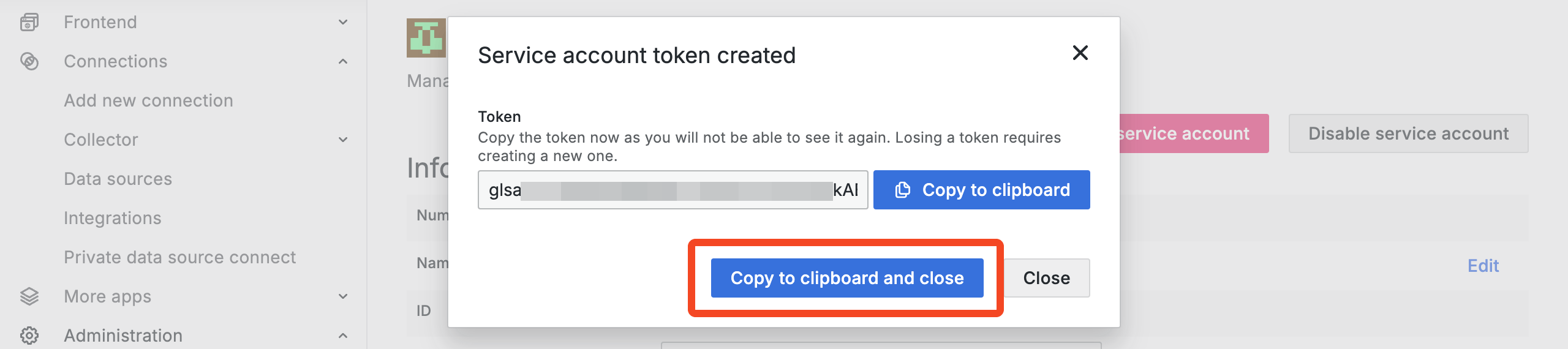
Now paste the token into 1Password SaaS Manager.
Was this article helpful?
Glad to hear it! If you have anything you'd like to add, feel free to contact us.
Sorry to hear that. Please contact us if you'd like to provide more details.