When you try to connect GitLab to 1Password SaaS Manager you will be asked for a SCIM API endpoint URL and SCIM token. This article shows you where to find these credentials in GitLab.
Login to GitLab and navigate to Settings > SAML SSO.
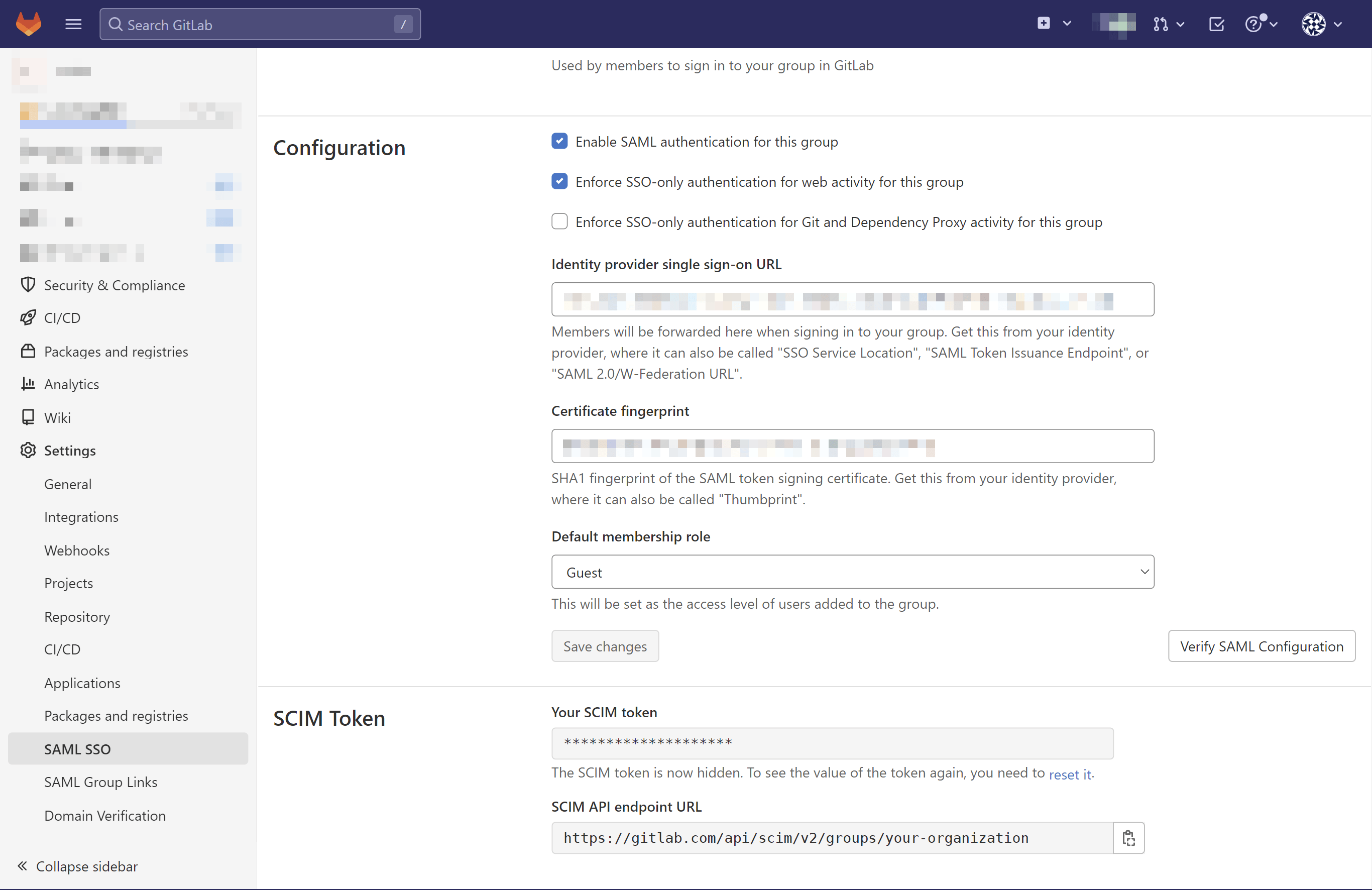
Scroll down to the SCIM Token section where you can find both the SCIM API endpoint URL and SCIM token to copy and paste into SaaS Manager.
Note
Note if you’ve already created a SCIM token, you will need to find an existing copy of it, likely from your IdP where SCIM has been configured. Otherwise you will need to reset it, which will impact any existing SSO setup.
Was this article helpful?
Glad to hear it! If you have anything you'd like to add, feel free to contact us.
Sorry to hear that. Please contact us if you'd like to provide more details.