When you try to connect Dynatrace to 1Password SaaS Manager you will be asked for an account client ID, client secret, and Dynatrace account URN. This article explains what to provide for each of these parameters.
As an administrator, you may have received an invitation from someone in your IT team asking you to connect Dynatrace to SaaS Manager.
To get the required credentials you must create an OAuth2 Client within Dynatrace. To do this:
From your Dynatrace dashboard open the User menu in the top right corner, and go to Account settings
Select the Dynatrace account you want to integrate to SaaS Manager
From the top-level Identity and Access Management menu select OAuth clients
Select Create new client.
Enter the email address for the owner of the client (preferably a service account), and a description.
Select the following scopes:
- View users and groups
account-idm-read - Manage users and groups
account-idm-write - View usage and consumption
account-uac-read
Select Generate client at the bottom of the client details view
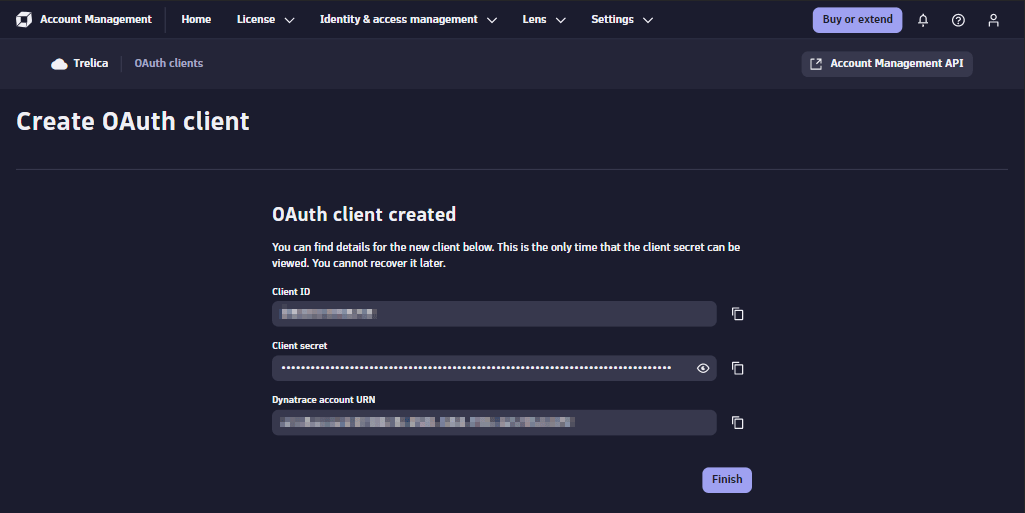
Copy the generated client ID, client secret, and Account URN into the settings options for the SaaS Manager Dynatrace integration.
Was this article helpful?
Glad to hear it! If you have anything you'd like to add, feel free to contact us.
Sorry to hear that. Please contact us if you'd like to provide more details.