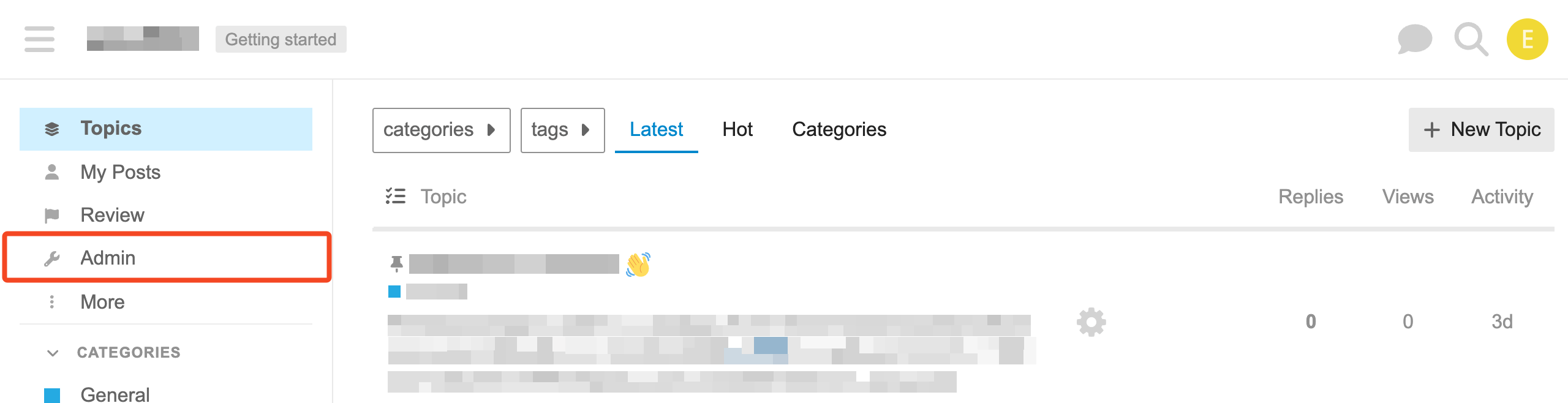
Log in to Discourse as an administrator and go to the Admin section:
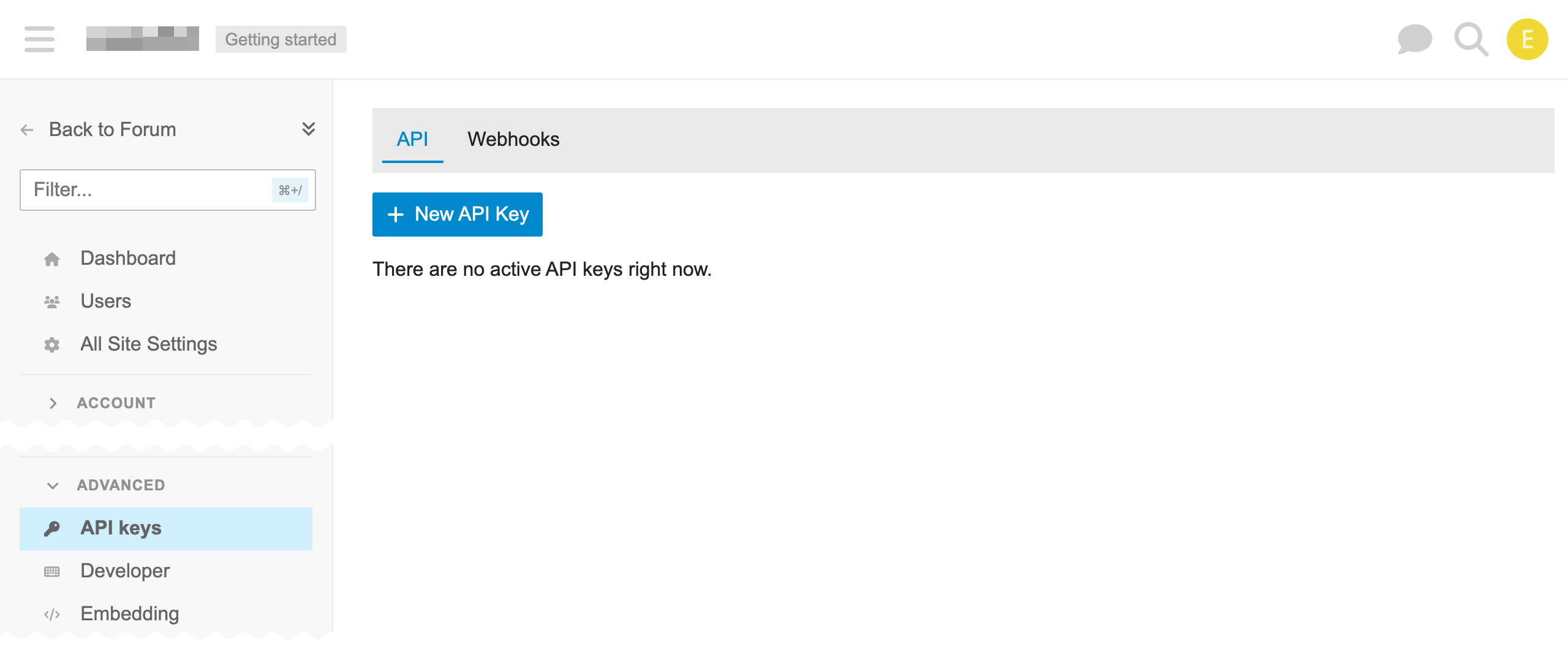
Under Advanced, choose API keys and click New API Key:
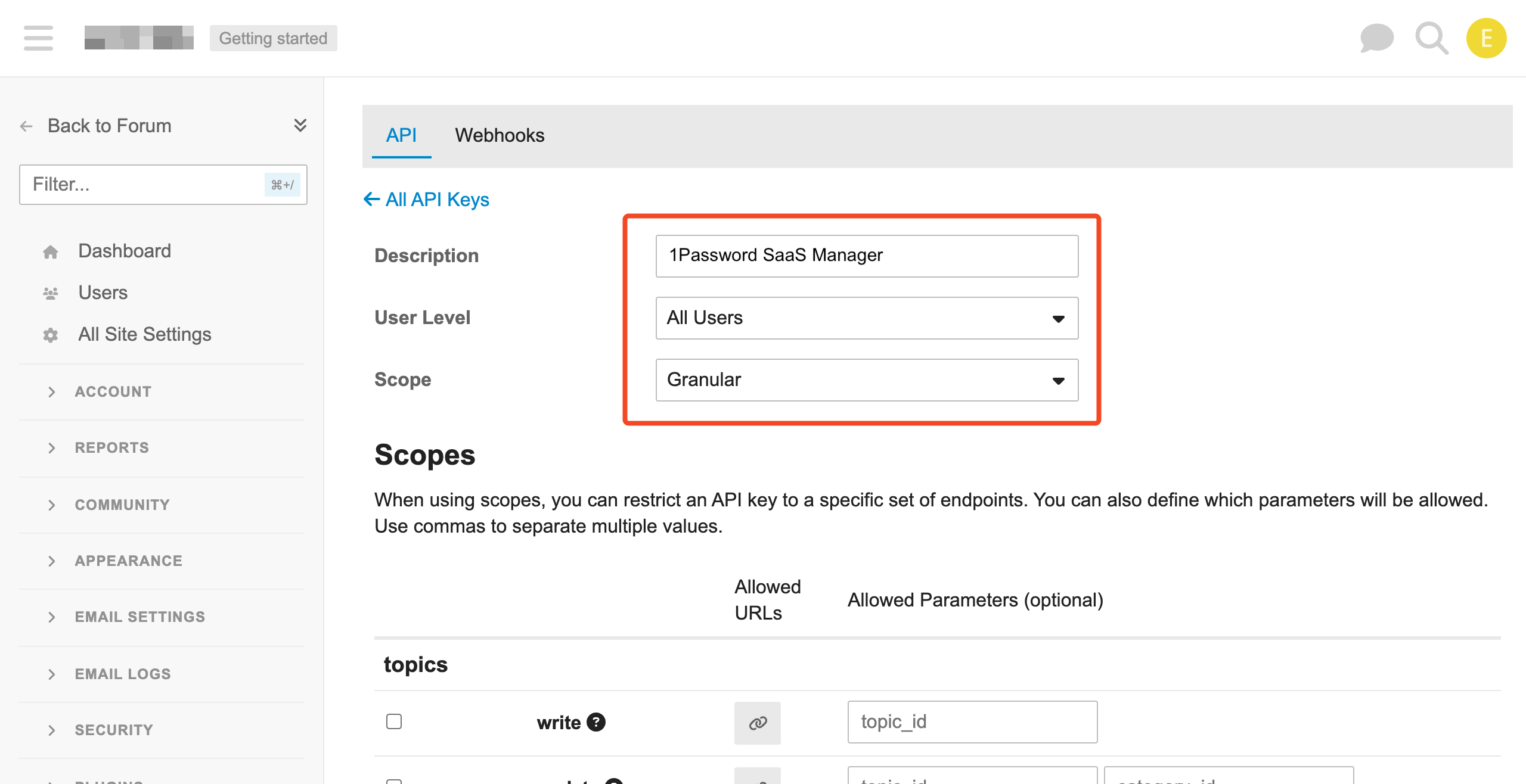
Enter a Description, choose All Users for User Level, and Granular Scope.
For Scopes select the following:
| Category | Action | Feature |
|---|---|---|
| groups | manage groups | List, add, and remove group members. Required (add/remove groups actions in 1Password SaaS Manager only available if you choose Deprovisioning or Provisioning) |
| users | show | Show information about a user. Required. |
| users | check emails | List user emails. Required. |
| users | update | Update user profile information. |
| users | log out | Log out all sessions for a user. Deprovisioning. |
| users | suspend | Suspend user accounts Deprovisioning. |
| users | delete | Delete user accounts Deprovisioning. |
| users | list | Get a list of all users. Required. |
| wordpress | utilities | Create users. Provisioning. The naming is strange but this grants access to POST to the /users endpoint. |
Click Save.
Was this article helpful?
Glad to hear it! If you have anything you'd like to add, feel free to contact us.
Sorry to hear that. Please contact us if you'd like to provide more details.