When connecting Contentful to 1Password SaaS Manager, if you are using the Provisioning, Deprovisioning and/or Groups feature, you will be asked for a Personal Access Token. This article explains how to obtain this token.
Note
The user creating the token must have either the admin or owner organization role.
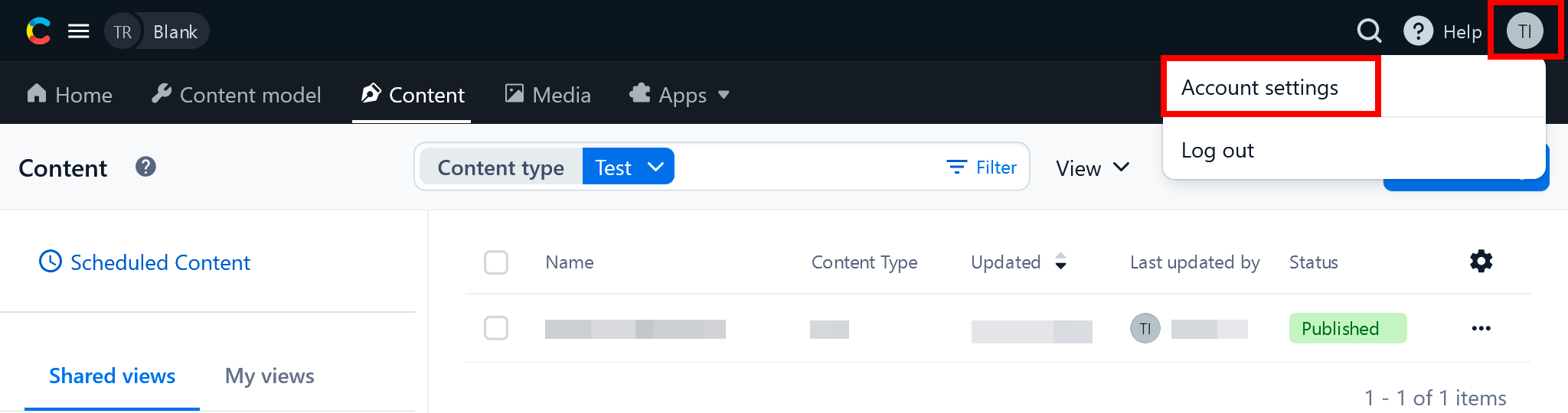
From the Contentful home page, click the profile icon in the top right and select Account settings:
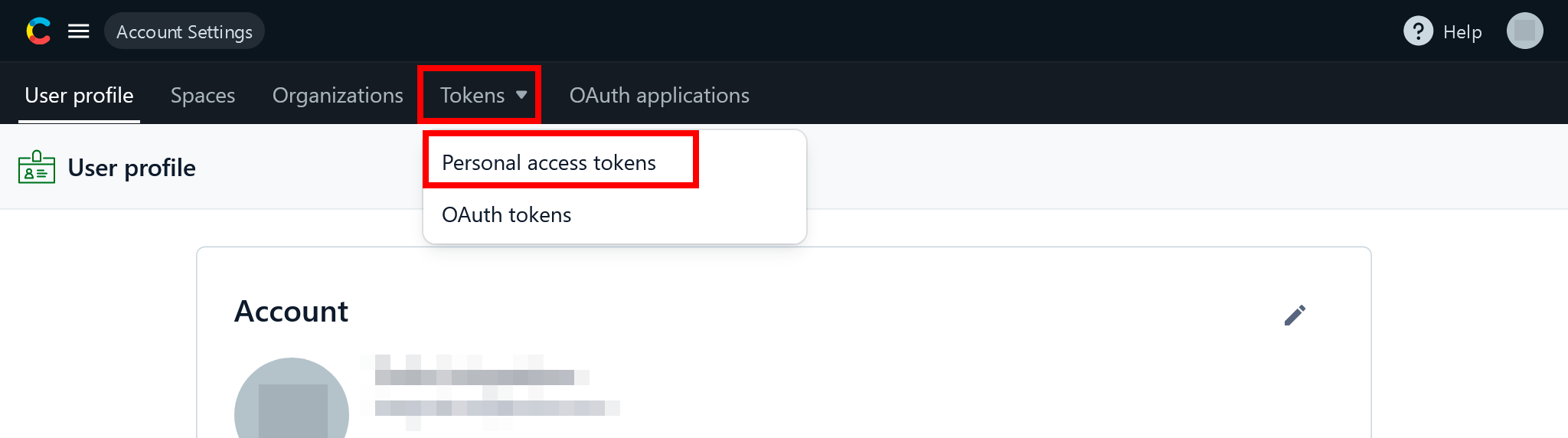
In the Tokens dropdown, select Personal access tokens:
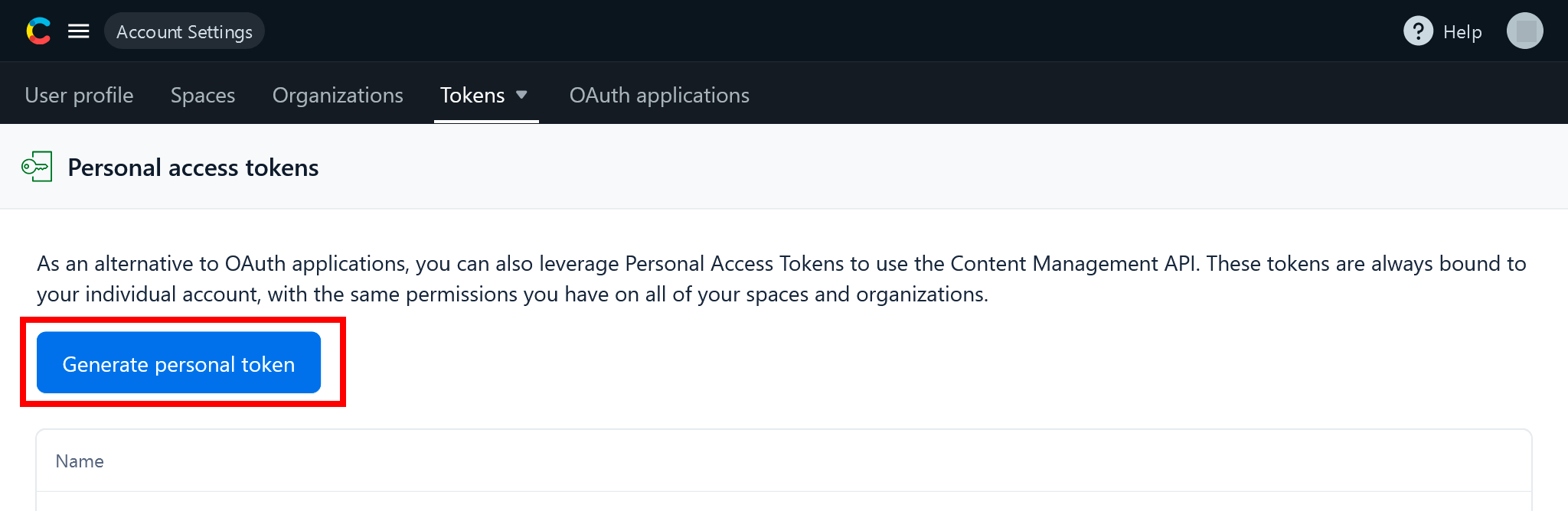
Click Generate personal token:
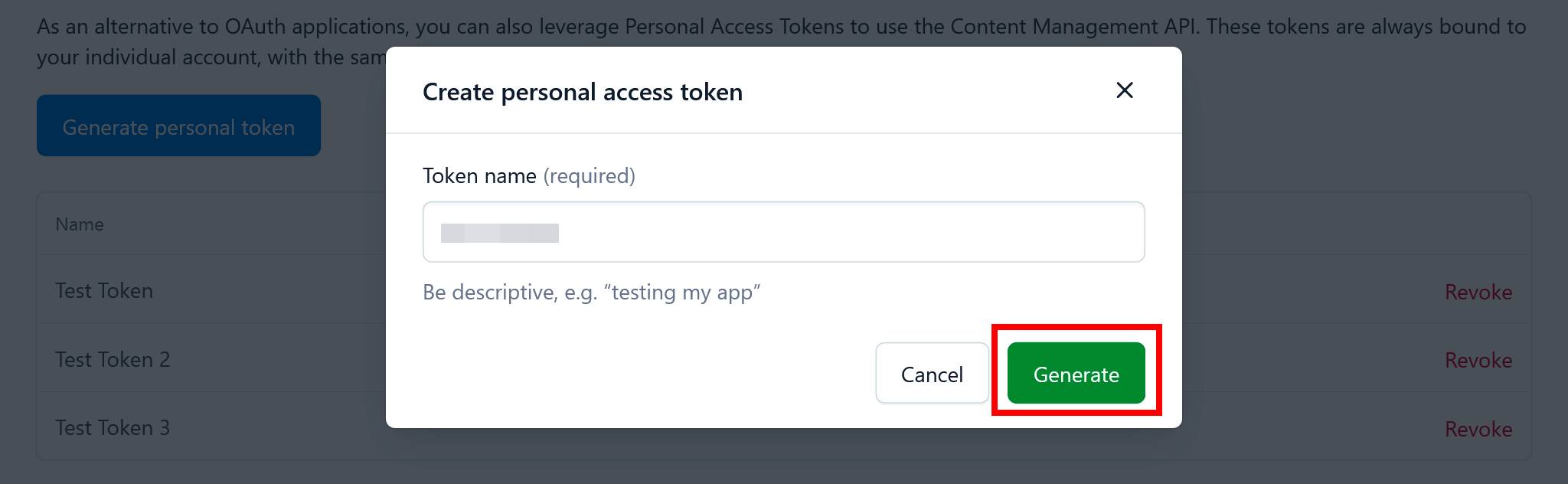
Enter a name for the token and click Generate:
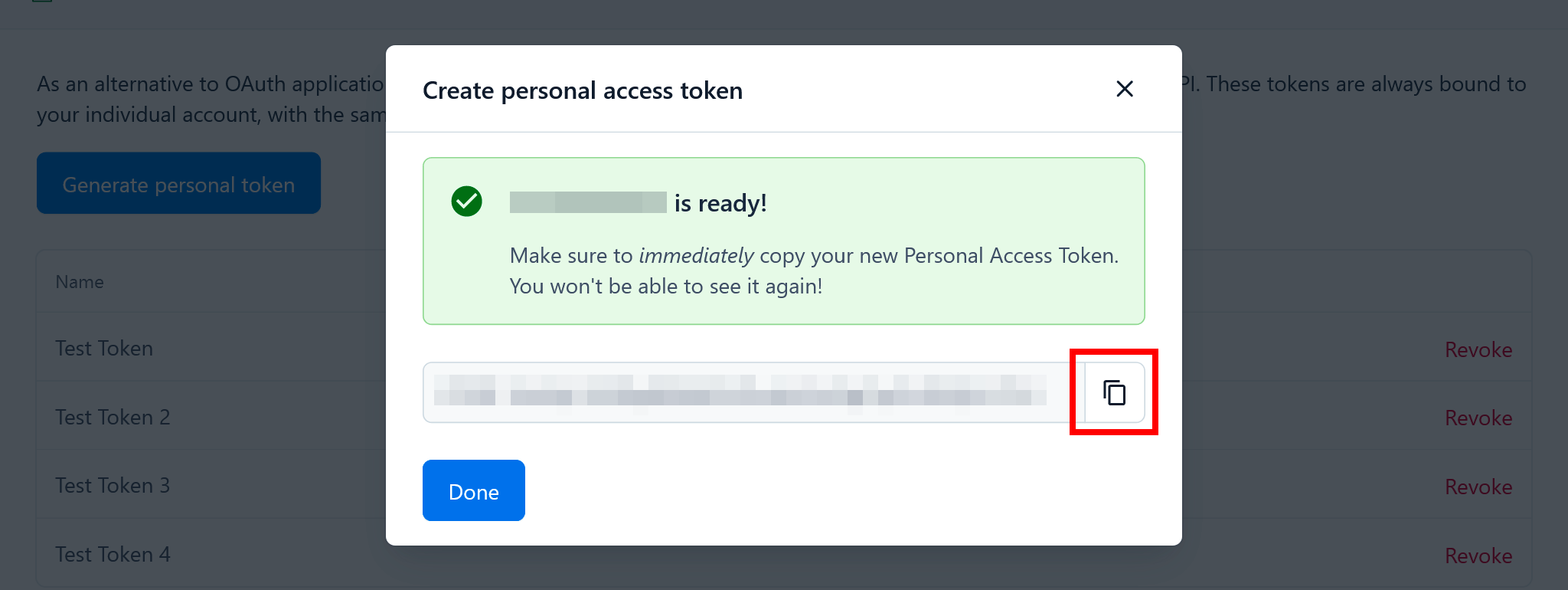
Your token will now be displayed to you, ready to be copied into SaaS Manager:
Was this article helpful?
Glad to hear it! If you have anything you'd like to add, feel free to contact us.
Sorry to hear that. Please contact us if you'd like to provide more details.