To connect to BILL Spend and Expense (fka Divvy) you need to generate an API token.
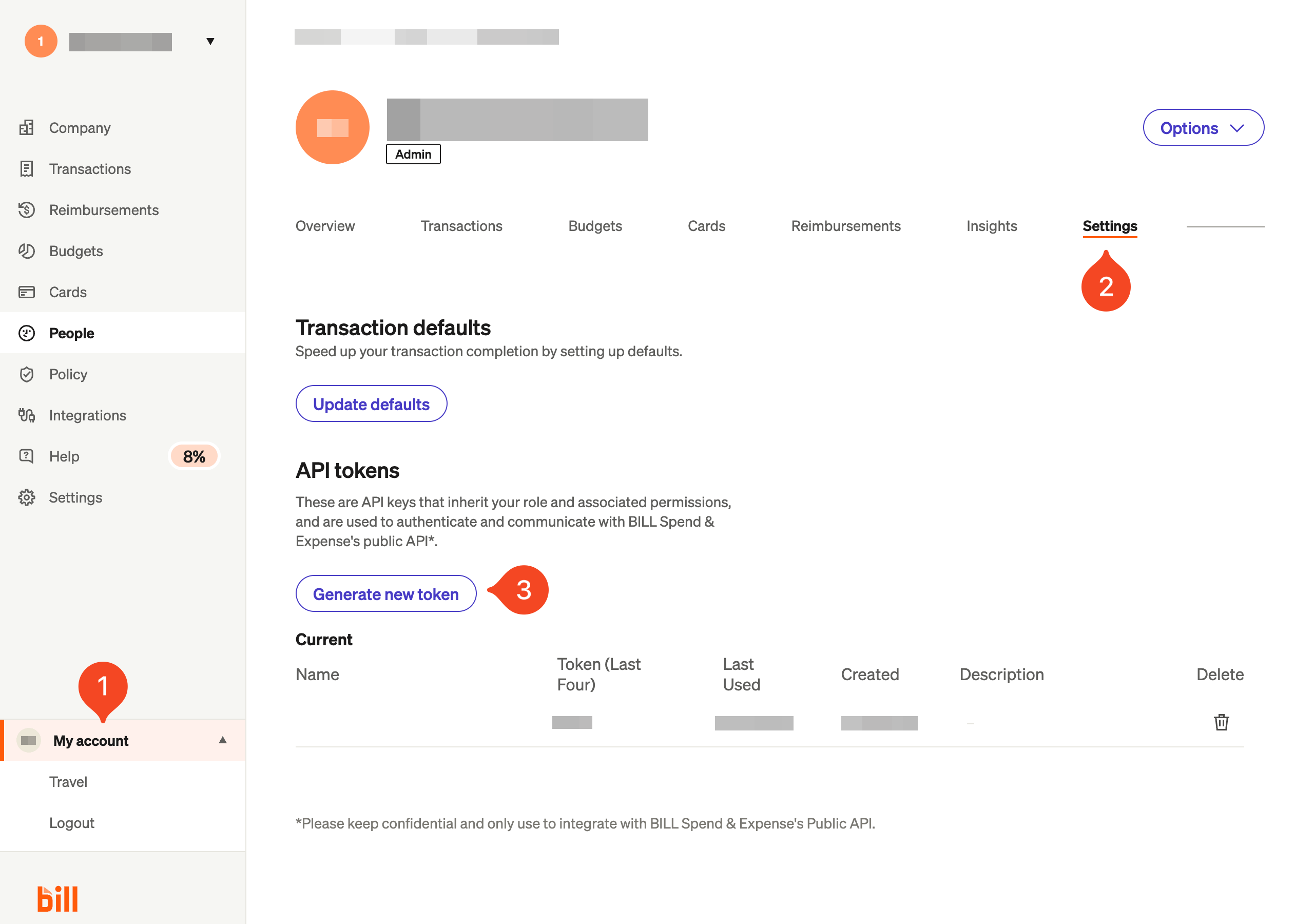
Go to My account > Settings and click Generate new token:
Give the token a name, and click Generate token.
Paste the token into 1Password SaaS Manager.
Was this article helpful?
Glad to hear it! If you have anything you'd like to add, feel free to contact us.
Sorry to hear that. Please contact us if you'd like to provide more details.