When connecting x360Sync to 1Password SaaS Manager, you will be asked for a hostname and organization ID. This article explains how to obtain these.
Hostname
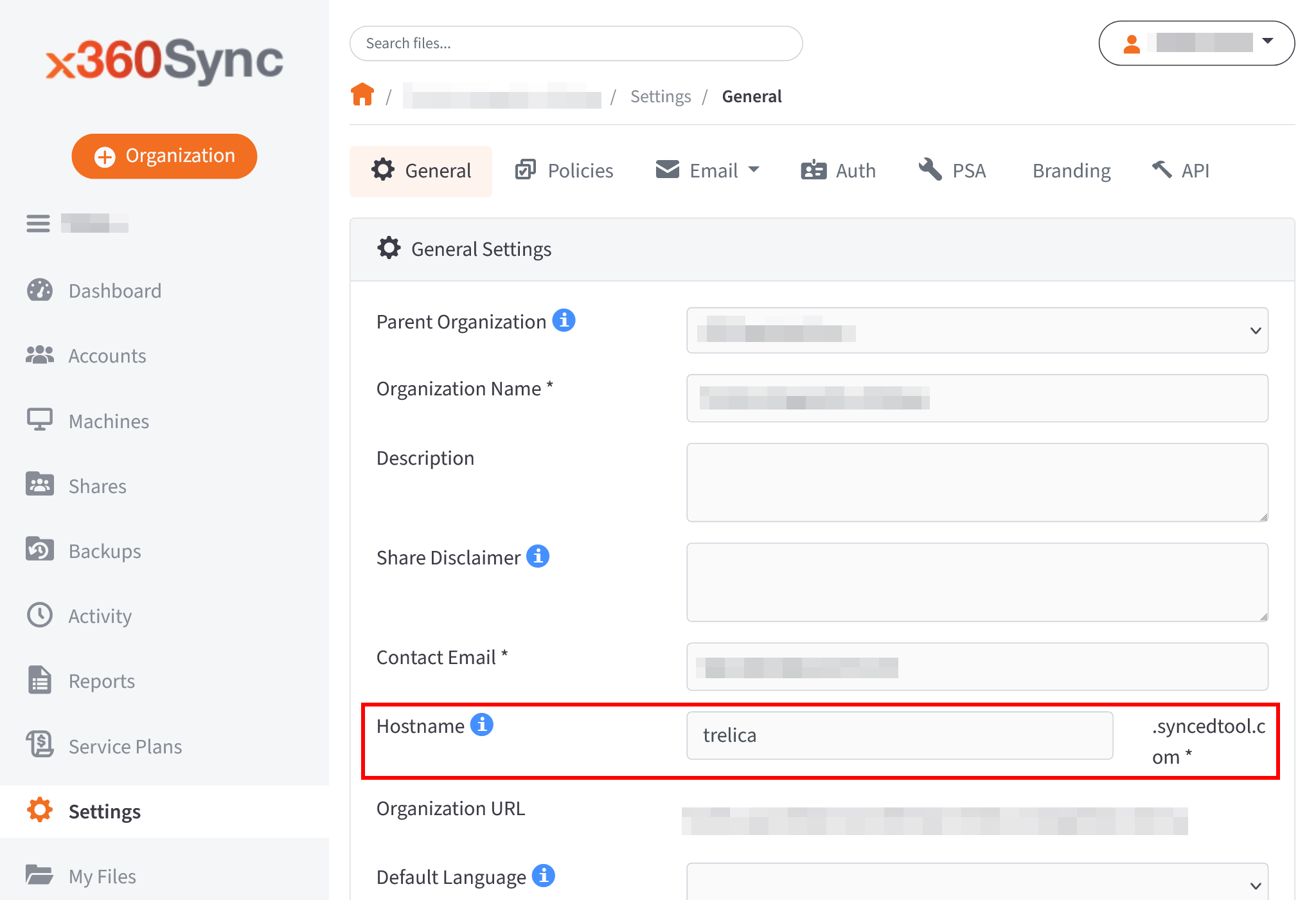
From the x360Sync dashboard, navigate to Settings > General and copy the text from the Hostname field, for example “saasmanager.syncedtool.com”.
Organization ID
You can find your organization ID in the URL of your x360Sync site; it is a number. For example, from the Settings page your URL will look something like: https://example.com/sites/131412/settings. In this example, 131412 is the organization ID.
Was this article helpful?
Glad to hear it! If you have anything you'd like to add, feel free to contact us.
Sorry to hear that. Please contact us if you'd like to provide more details.