Note
Note
Pre-requisites
A pre-requisite for running Athena analytics is configuring an S3 bucket for your Athena data. In this example we’ll use a bucket called trelica-athena-results.
Important
Initializing Athena tables
Log in to your AWS account with the appropriate role using the aws sso login command.
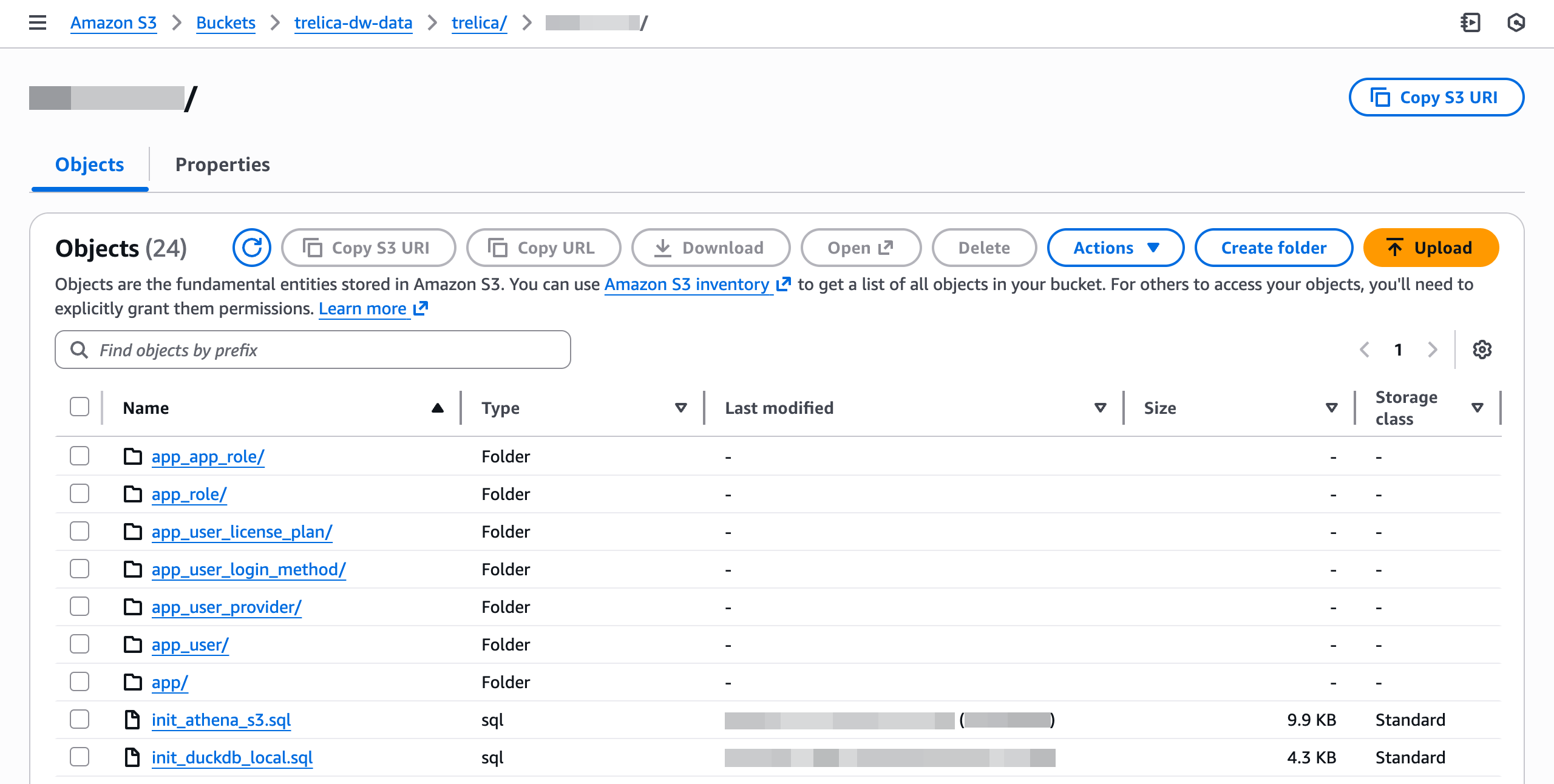
Download run_athena_init.sh and init_athena_s3.sql:
aws s3 cp s3://<YOUR-BUCKET>/trelica/2025-10-22/run_athena_init.sh .
aws s3 cp s3://<YOUR-BUCKET>/trelica/2025-10-22/init_athena_s3.sql .
Athena only lets you run a single SQL statement at a time, so the run_athena_init.sh script will automate running the SQL file for you.
The parameters for run_athena_init.sh are:
- the Athena database name you want to create,
- the S3 bucket for storing Athena results
./run_athena_init.sh trelica_snapshot s3://trelica-athena-results
============================================
Athena Initialization
============================================
Database: trelica_snapshot
Results: s3://trelica-athena-results

Parsing SQL file and executing statements...

Executing: Create database
✓ Completed

Executing: Drop table: app_account
✓ Completed

Executing: Create table: app_account
✓ Completed
Querying from AWS
Once this has completed, log in to Athena in the AWS Management Console.
Before running a query you will be prompted to specify the location for your query results (if you haven’t already done so):

Click Browse S3 to pick a folder in one of your S3 buckets.
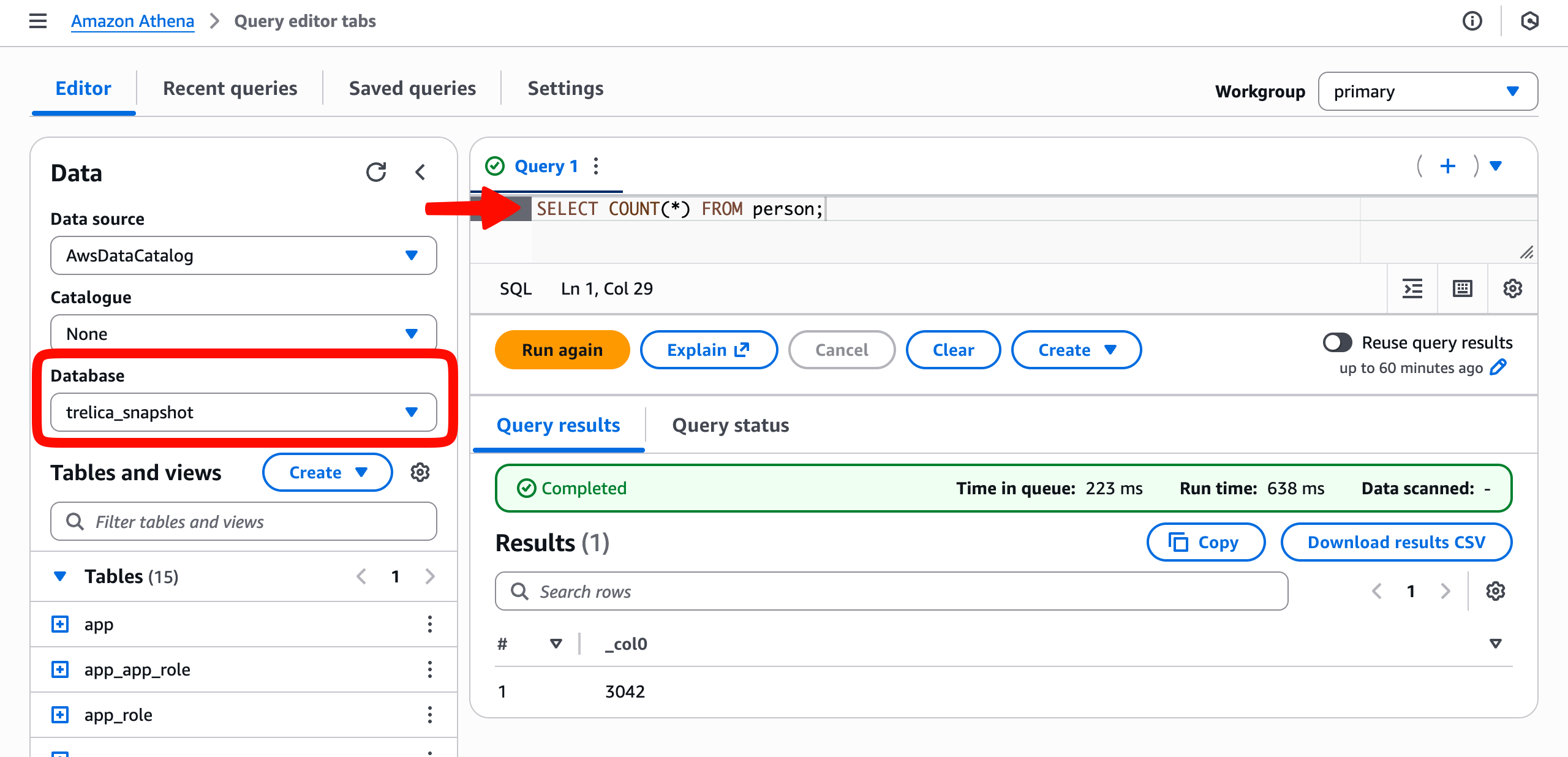
Now return to the query editor. Select the Database you created (in this case trelica_snapshot). You should see the Tables list populate and you can then run queries against those tables.
By accessing or using 1Password Developer Tools, you agree to the API and SDK Terms of Service.
Was this article helpful?
Glad to hear it! If you have anything you'd like to add, feel free to contact us.
Sorry to hear that. Please contact us if you'd like to provide more details.