Note
Note
Need Help?
For installation instructions, read Users - Setting Up Your Device For more details or admin information, read Admins - Agent.
Overview
The Kolide agent (also referred to as Kolide Launcher agent) allows the Device Trust service to communicate with Mac, Windows, and Linux devices. This article describes the agent’s capabilities and architecture across all of Device Trust’s supported platforms.
Supported platforms
Device Trust ships and supports agent installers for macOS, Windows, RPM-based Linux, and Debian-based Linux.
| Platform | Min Version | Latest Version |
|---|---|---|
| macOS | macOS 11 - Big Sur | macOS 27 - Golden Gate |
| Windows | Windows 10 | Windows 11 |
| Linux | (See Linux Support Notes) | (See Linux Support Notes) |
Note
Linux Support Notes
Device Trust offers official Debian and RPM installers for Linux-based operating systems. Device Trust engineers test new releases of its agent against the latest LTS version of Ubuntu and at least one older LTS version, and the latest version of Red Hat Enterprise Linux (RHEL). Releases with UI changes are tested using both GNOME and KDE backed by X11 and Wayland.
Unless otherwise noted, when Device Trust claims support for a specific platform, it means:
- The installation packages work as expected.
- The agent persists itself across restarts.
- The uninstall process works.
- The menu bar app appears in the system tray and all the items work.
- The menu bar app can display system notifications to the end-user.
- The device trust local server operates as expected.
- The agent’s automatic update process works correctly.
- The osquery daemon interacts with the Device Trust service correctly.
- Device Trust official Checks work correctly.
Note
Enabling Device Trust for virtual environments
To enable Device Trust for your virtual environments such as VMs or VDIs, the launcher database will need to be removed after install and before a user accesses the device. The database and its backups can be found at the following paths:
- macOS and Linux:
/var/kolide-k2/k2device.kolide.com/launcher.db* - Windows:
C:\ProgramData\Kolide\Launcher-kolide-k2\data\launcher.db*
All of the files for both launcher.db and launcher.db.bak must be deleted after installation of the package. This allows for each new instance to be interpreted by Device Trust as a new device, rather than as a duplicate of a previous device record.
Components
While Kolide’s agent is shipped in a single installer, it’s really a collection of technologies, each enabling different features and experiences within the Device Trust service.
osquery and osquery extension
The Device Trust service requires regularly updated information about a device’s current posture. To achieve this, the Kolide agent installs and persists a fully functional osquery daemon that directly interacts with the Device Trust service. On macOS, Device Trust ships Osquery’s official app bundle which is imbued with Apple’s Endpoint Security entitlement, allowing customers to use osquery’s process event monitoring and file monitoring features on the Mac.
In addition, Device Trust also includes an osquery extension that registers new virtual tables that provide additional device information that osquery cannot obtain otherwise.
Note
All components of osquery are kept up-to-date using the agent’s Automatic Update Capabilities.
Menu bar app
Kolide’s agent includes a Menu Bar application that serves as an indicator of the current device’s registration status and health.
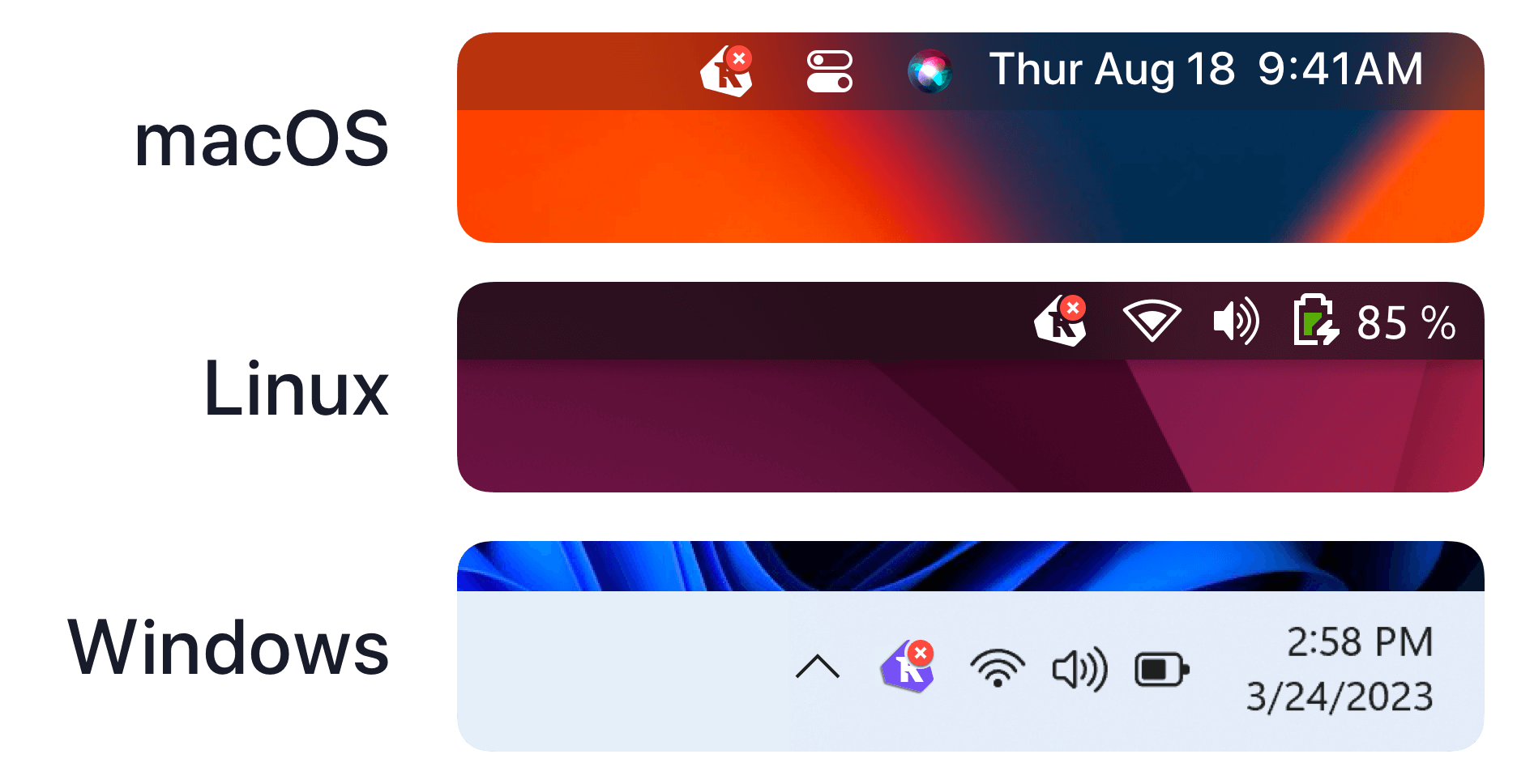
In addition to displaying device health, the app is also capable of sending on-device notifications that inform end-users about any changes in their registration status or device health.
Updater
Kolide’s agent is capable of updating any of its components through a secure and automatic update system.
Updater adheres to The Update Framework (TUF) specification. Device Trust uses a mirror like Google Cloud Storage to store update targets, and the agent uses the Golang implementation of TUF to make sure that targets have not been tampered with.
Local server
The Kolide agent includes a web server that is only accessible through the local loopback interface (127.0.0.1) on a high-numbered port. Device Trust uses this web server to identify devices accessing the service through a web browser and to issue commands to change the agent’s behavior (for example, asking the agent to check in more frequently for 5 minutes).
Device Trust uses public-key authenticated encryption to encrypt and sign
confidential messages between the Device Trust service and the Kolide agent
(specifically libsodium’s crypto_box). For more information, read
About Device Trust - Device Trust Connect architecture.
Agent watchdog
The Kolide agent Watchdog is currently implemented for Windows devices to make sure automatic recovery if the Windows Service Control Manager agent is ever unable to start the Kolide agent service. It is installed as a scheduled task, which queries the service state and issues a service start request if needed.
You can view the task in the Task Scheduler, under the name LauncherKolideK2WatchdogTask.
The task is configured to trigger routinely on a 30 minute interval, as well as following wake and boot events to verify the service has been started successfully and is in a running state.
Network communication
The Kolide agent connects to several HTTPS endpoints that together make up the Device Trust service. All outbound communication across the internet is on port 443.
The list of domains (last changed 2023-11) is:
- k2device.kolide.com
- k2control.kolide.com
- notary.kolide.co
- dl.kolide.co
- tuf.kolide.com
- ingest.kolide.com
Note
Additional Hosts for macOS Connectivity
All modern versions of macOS check package and binary signatures for validity. This may require contacting Apple servers. For more information, including best practices for network administrators, see Apple’s official documentation.
Was this article helpful?
Glad to hear it! If you have anything you'd like to add, feel free to contact us.
Sorry to hear that. Please contact us if you'd like to provide more details.