The Web Portal provides a summary of your registered devices and their current status.
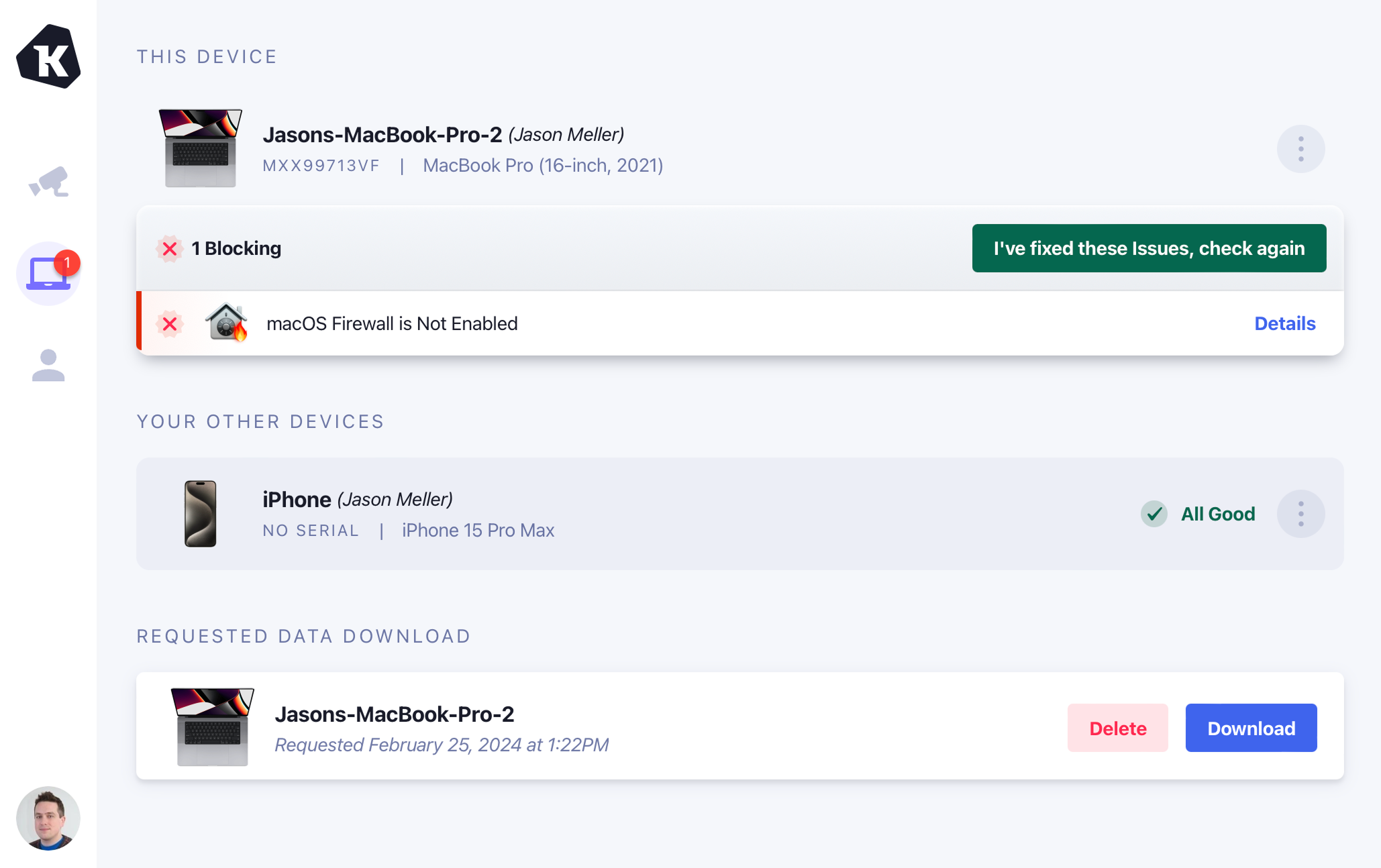
If you are on a currently registered device, it will be highlighted separately at the top above any other registered devices.
Unregister a device
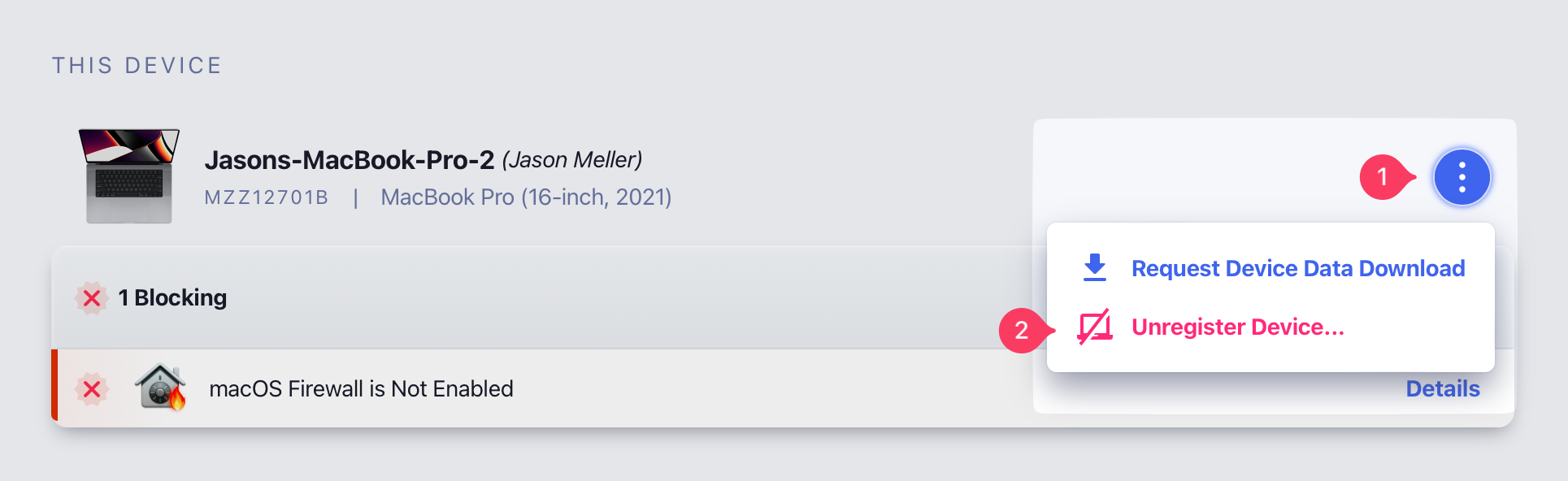
You can unregister any of your registered devices from the list of your devices. When you unregister a device, it can no longer be used to sign in to apps protected by Device Trust.
To unregister a device, click the ellipsis menu next to the device and select Unregister Device…
Important
Requesting a device data download
You can request a copy of the latest data Device Trust has collected about your registered devices. This export contains the raw data of your device, used to run Checks and populate device properties.
To request a Device Data Download, click the ellipsis menu next to the desired device and select Request Device Data Download.
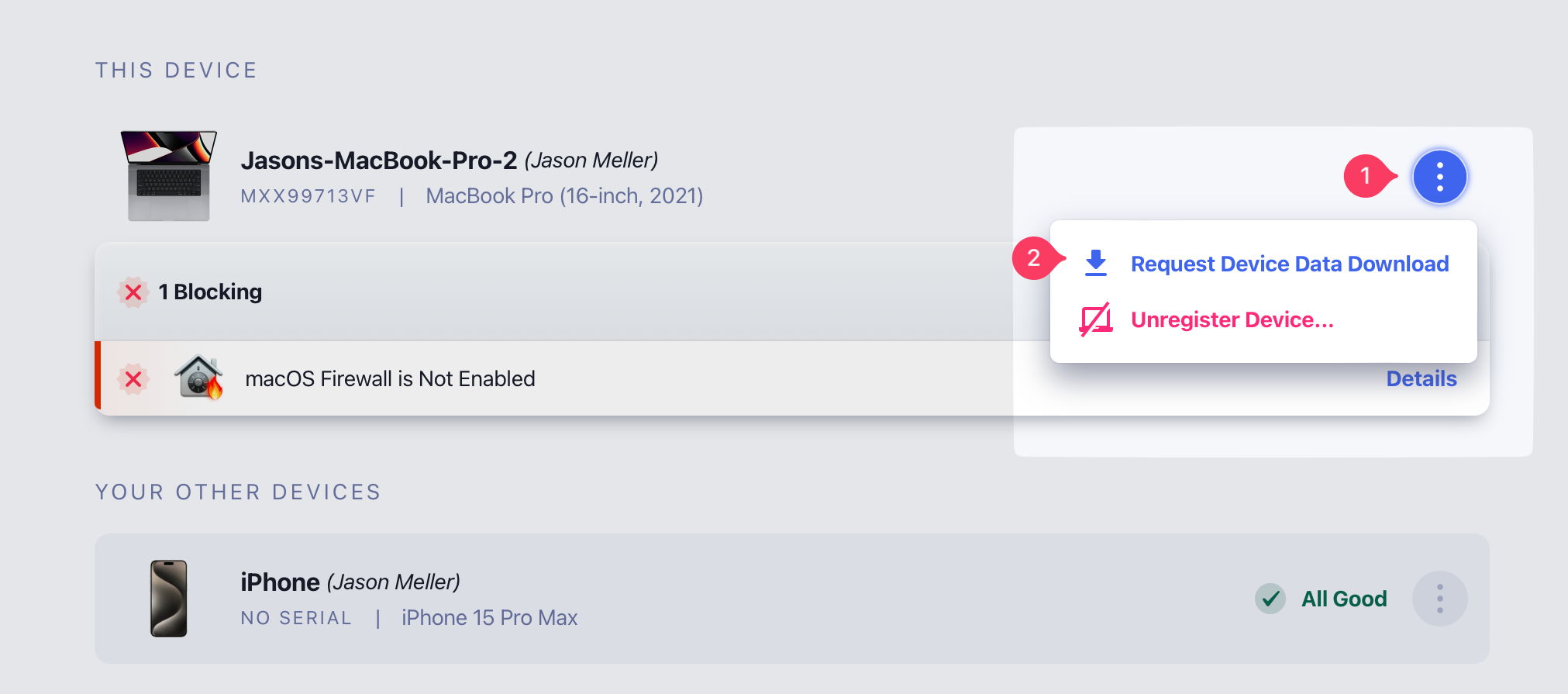
Typically, downloads only take a few minutes to generate, and the UI will automatically update when the data export is ready. You will also receive an email when your download is ready.
Note


Once the export is ready, click Download to obtain the data in a zip file.
Was this article helpful?
Glad to hear it! If you have anything you'd like to add, feel free to contact us.
Sorry to hear that. Please contact us if you'd like to provide more details.